
Finances
How to edit the added revenue?
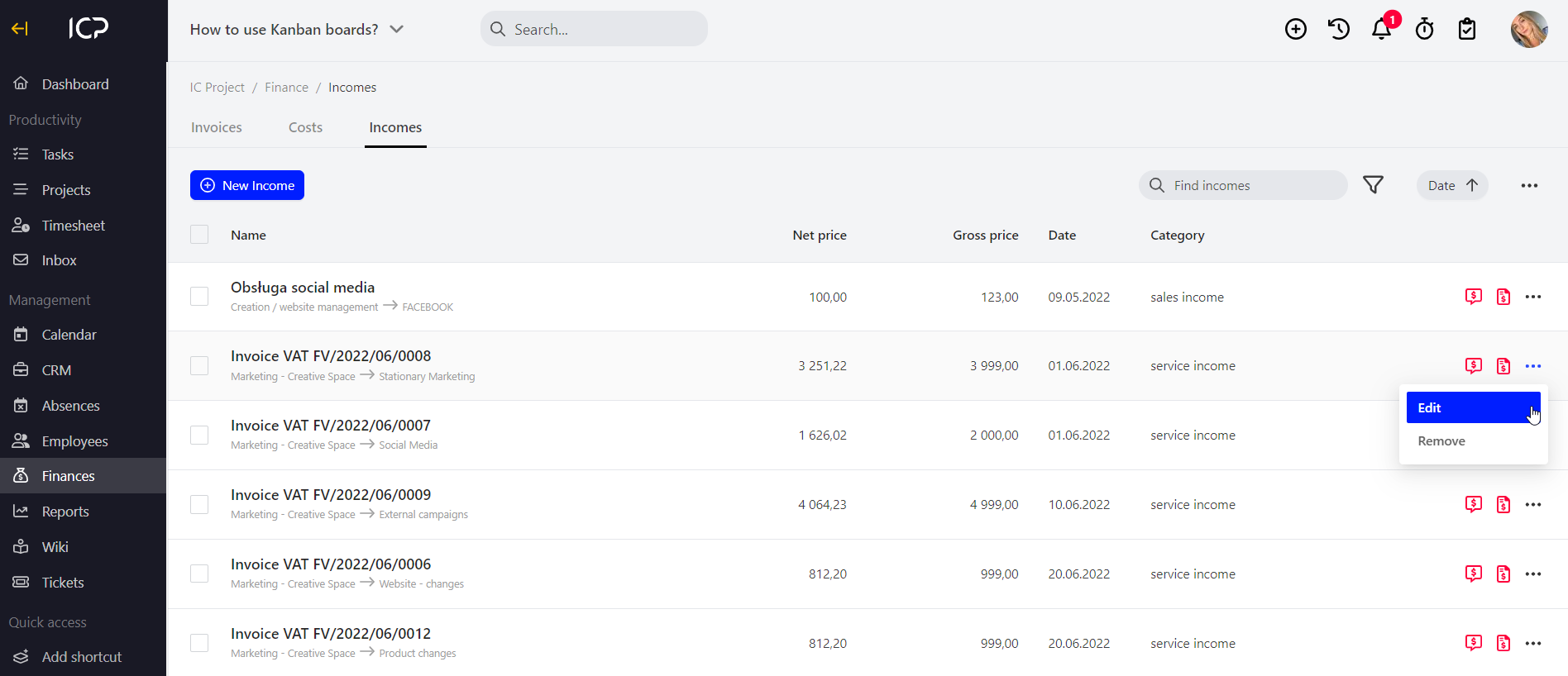
Go to the Finance menu > Revenues. Decide which revenue added earlier you wish to edit. Click and select Edit.
Go to the Finance menu > Revenues. Decide which revenue added earlier you wish to edit. Click  and select Edit.
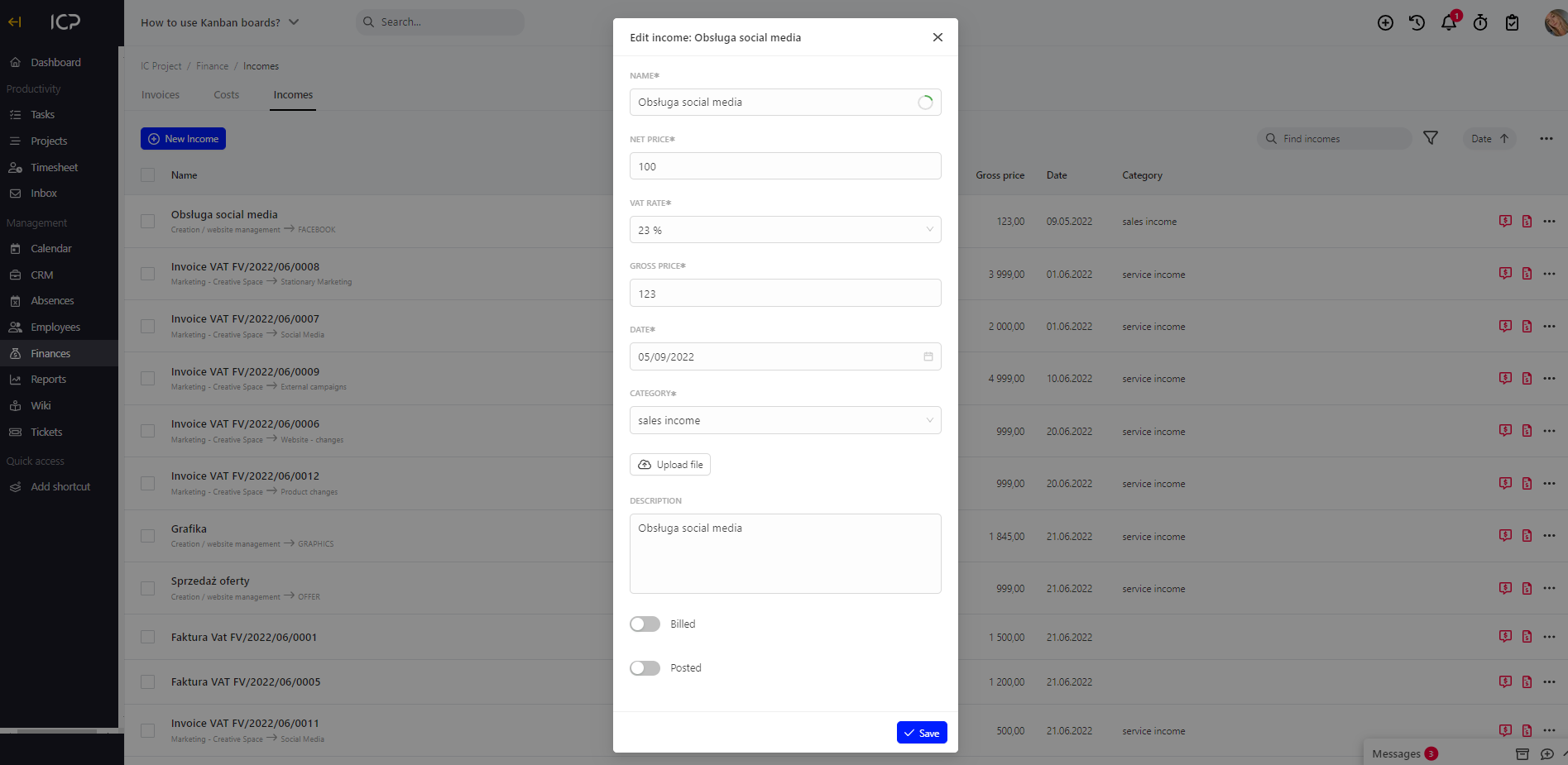
A window will be displayed where you can edit data. Then, click  .
Categories:Costs & revenues