
Projects
How to assign people to the task board?
We assume you have the entire project and its structure ready.
Go to the selected project and to the structure tab.
Select the stage, task board / group to which you want to assign people. Click  to the right of the name of the given task board.
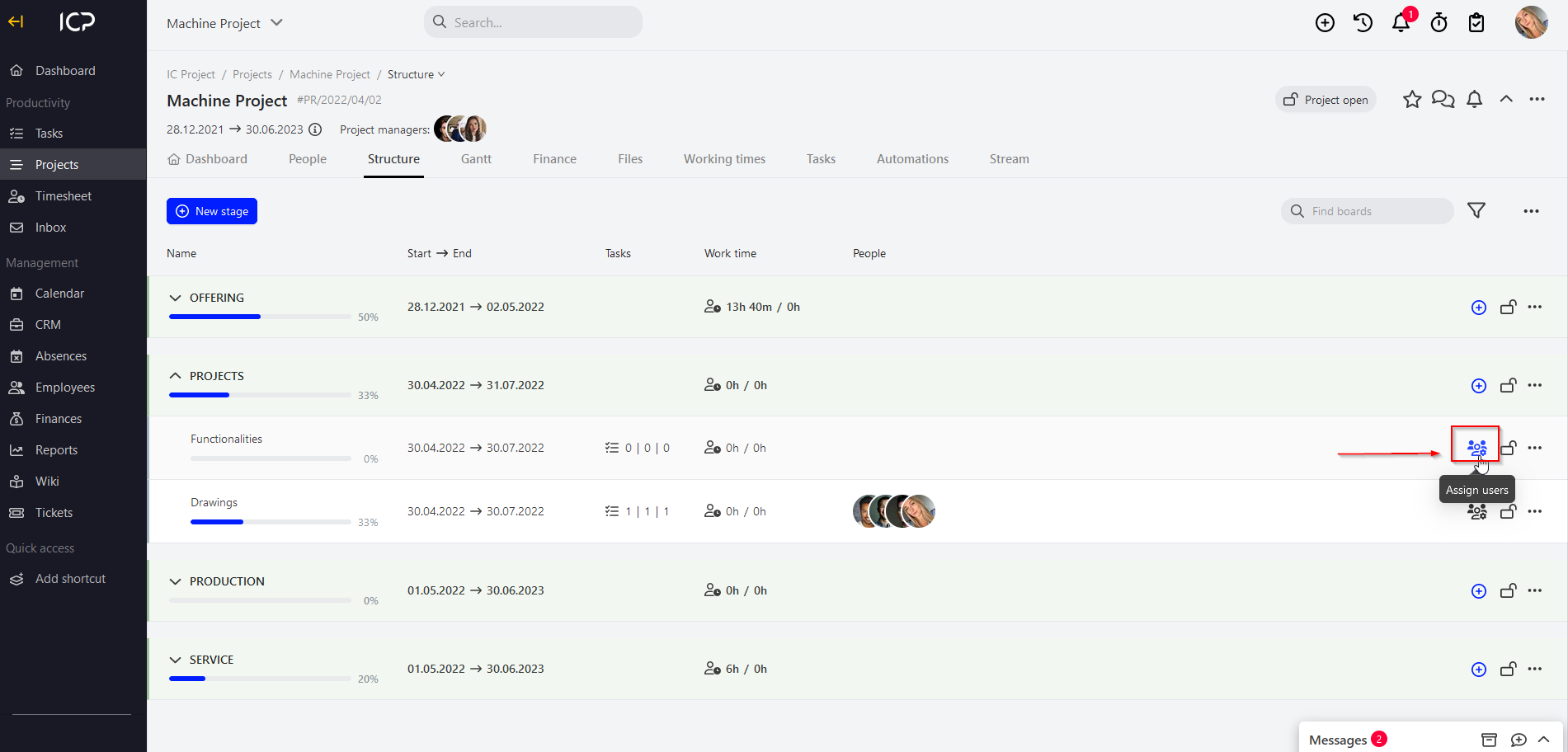
After you click it, a new window will pop up.
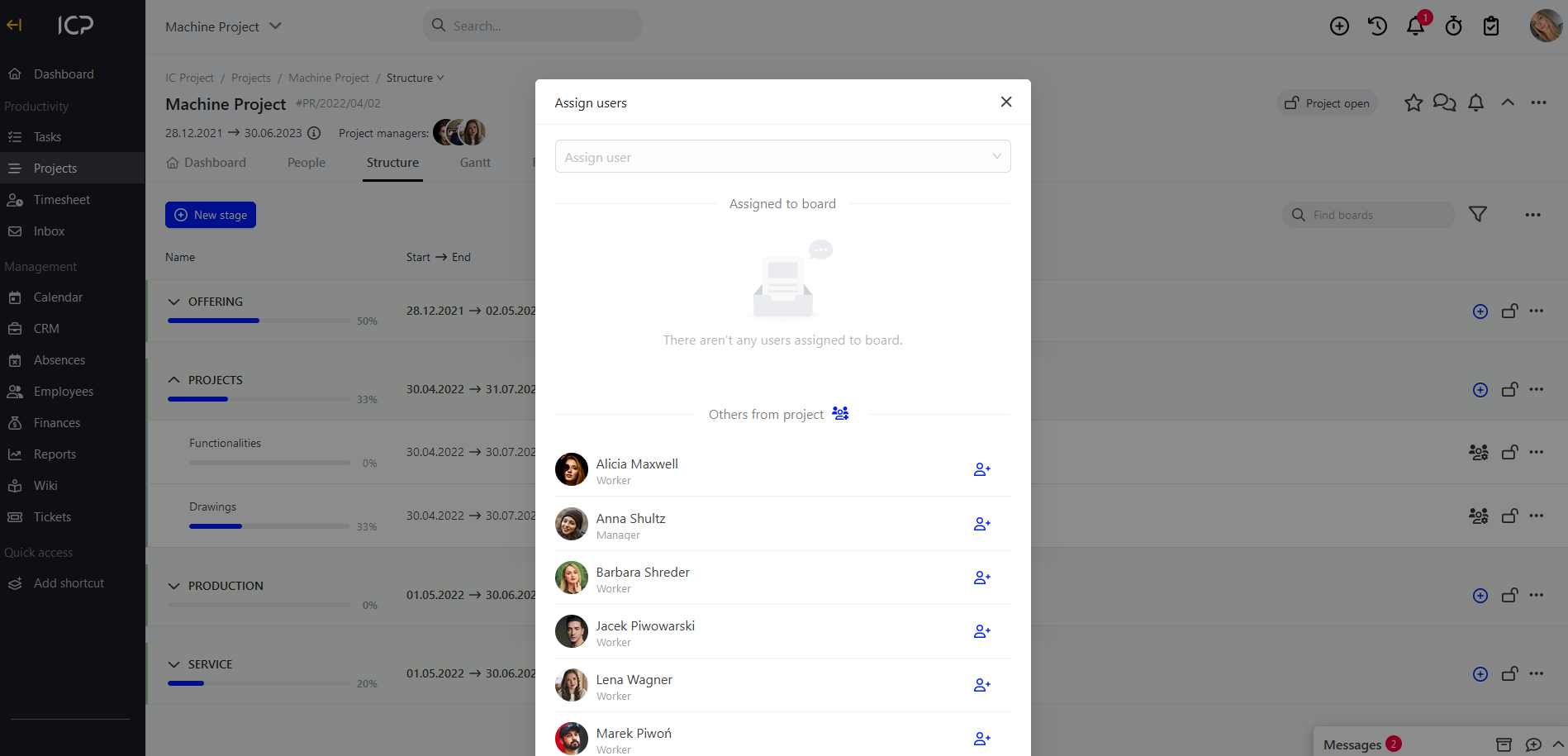
Click the field Assign user , select people who are to be assigned to the given task board. You can add all people to the project clicking  or you can assign / add people one by one by means of
 on the right side of the selected person.
After people are assigned to the task board, they receive an automatic notification: in the browser, by e-mail and via the mobile application.
Categories:Projects