
CRM & clients
How to update or remove the selected contractor?
Go the CRM module from the left menu. From all contractors, pick the one you wish to update. Click to the right of the selected contractor and select edit.
Go the CRM module from the left menu. From all contractors, pick the one you wish to update. Click  to the right of the selected contractor and select edit.
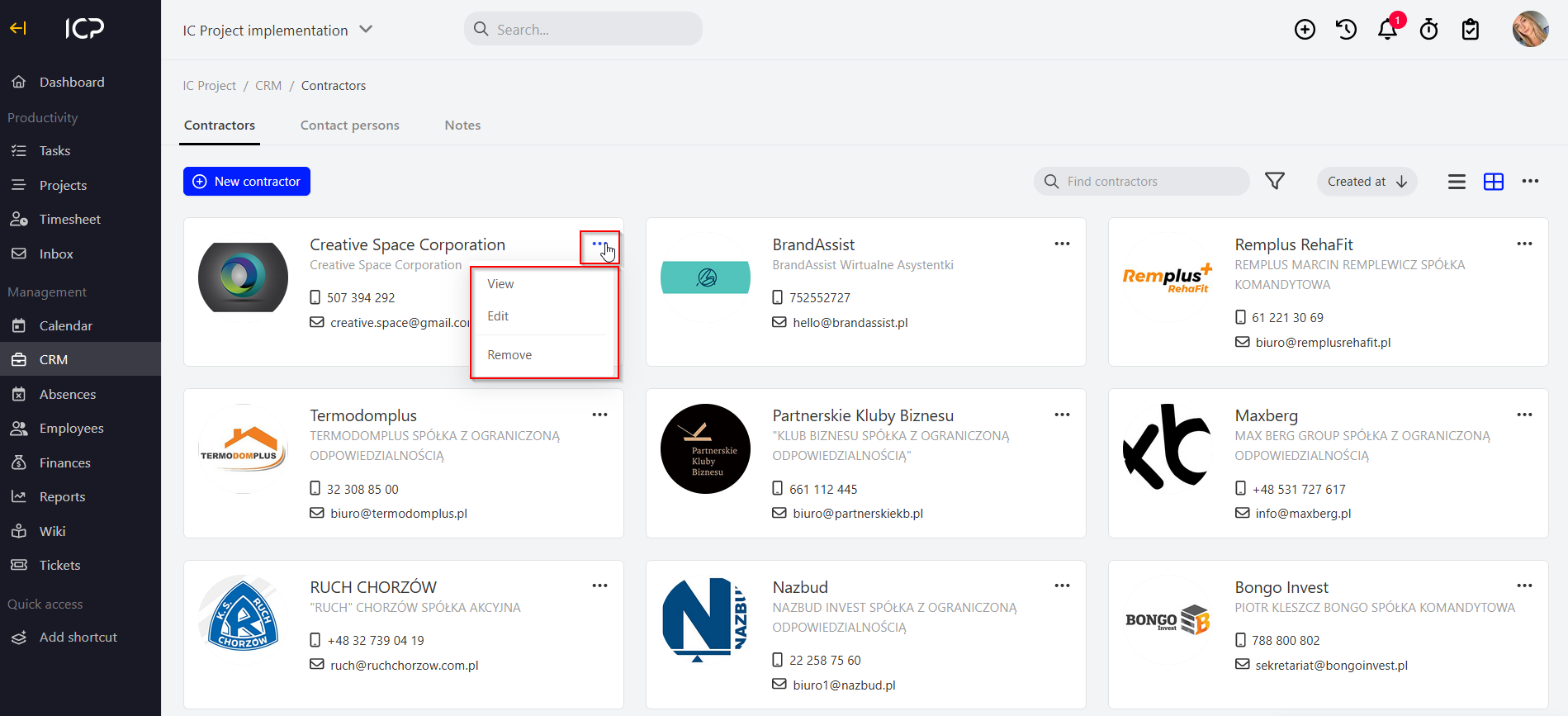
Use also to remove the selected contractor.
Categories:CRM & clients