
KSeF integration for sales invoices
Learn how IC Project integrates with KSeF and how to connect the systems to exchange invoices.
IC Project integration with the National e-Invoicing System (KSeF)
IC Project's KSeF integration lets you download sales invoices directly from KSeF and send VAT invoices issued in IC Project to KSeF, without using external software.
1. Starting the integration from invoices
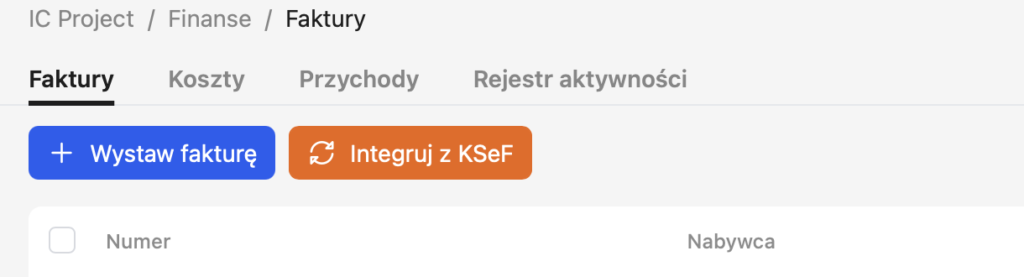
Start the KSeF integration directly in the Invoices module.
A new Integrate with KSeF button appears above the invoice list.
👉 Clicking it takes you to the integration settings.
2. Configuring the integration in settings
A new KSeF integration section appears in the system settings.
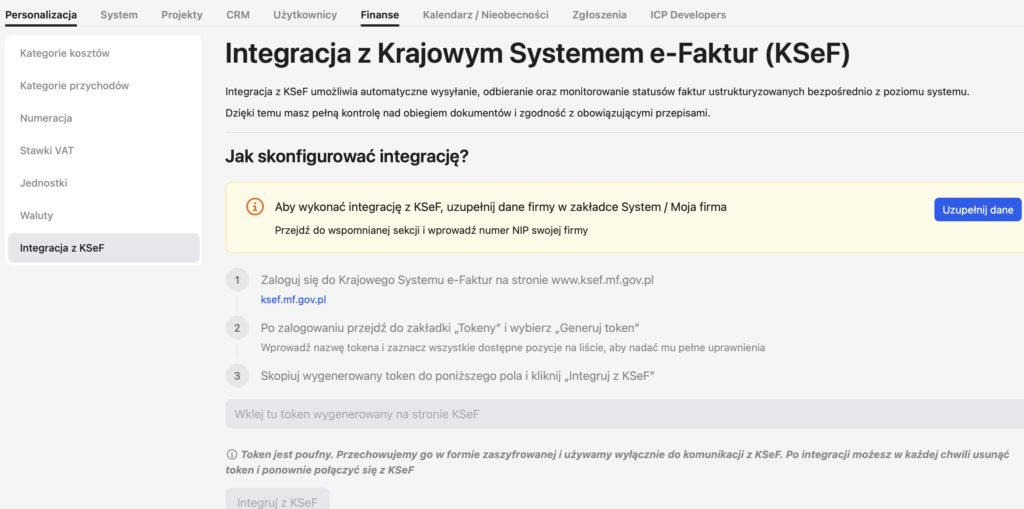
To connect IC Project to KSeF:
- Log in to the National e-Invoicing System at www.ksef.mf.gov.pl (ksef.mf.gov.pl).
- After logging in, open the “Tokens” tab and select “Generate token”.
- Enter a token name and select every available item in the list to grant it full permissions.
- Copy the generated token into the field in IC Project and click “Integrate with KSeF”.
Generate the token directly at:
👉 https://ksef.mf.gov.pl/web/
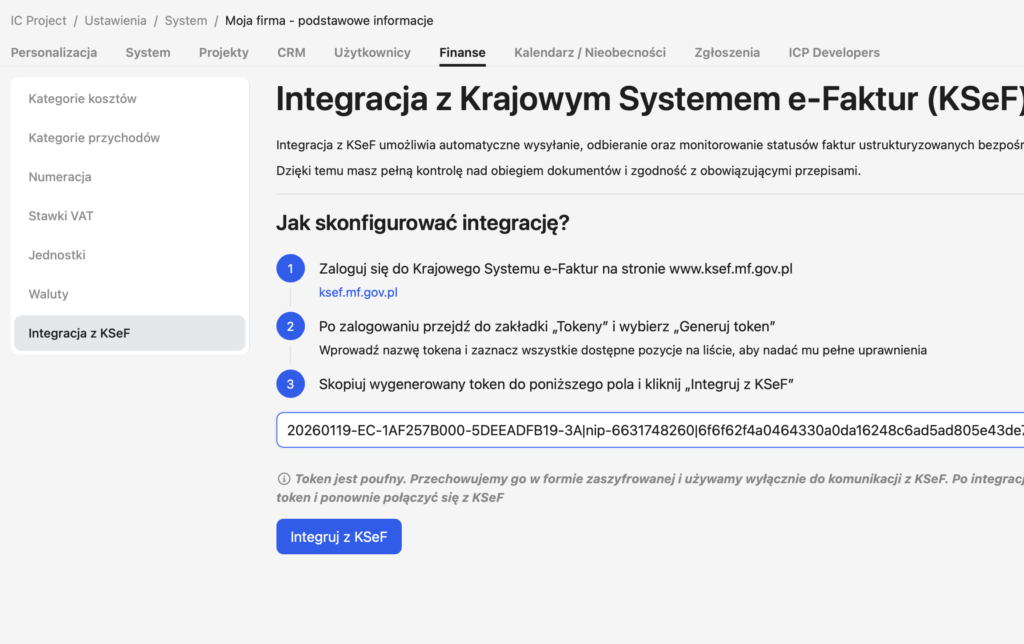
3. Verifying the token and enabling synchronisation
After saving:
- The token automatically changes to “being verified”.
- After a short wait, the system confirms that it is valid.
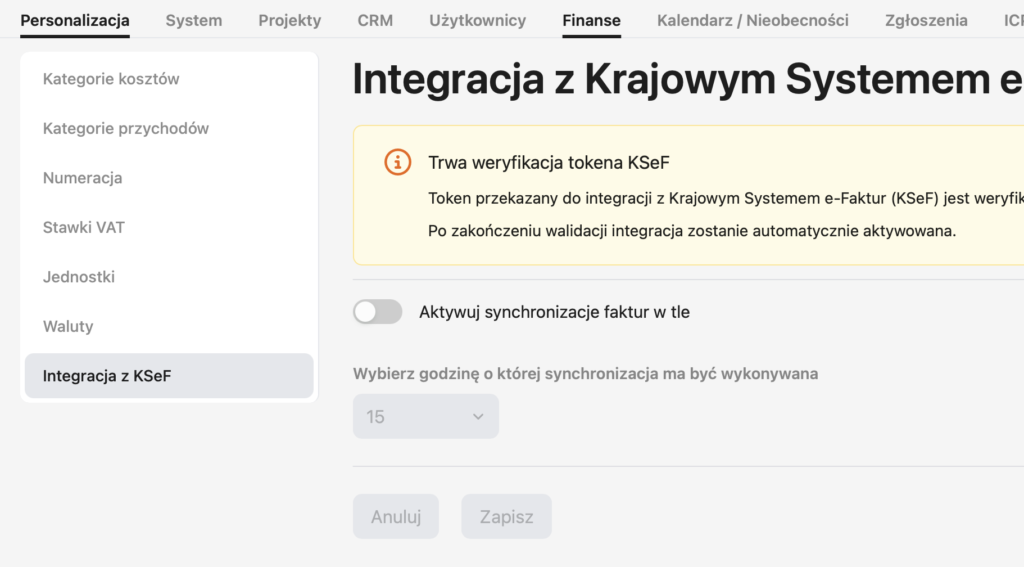
Once verification succeeds, you can:
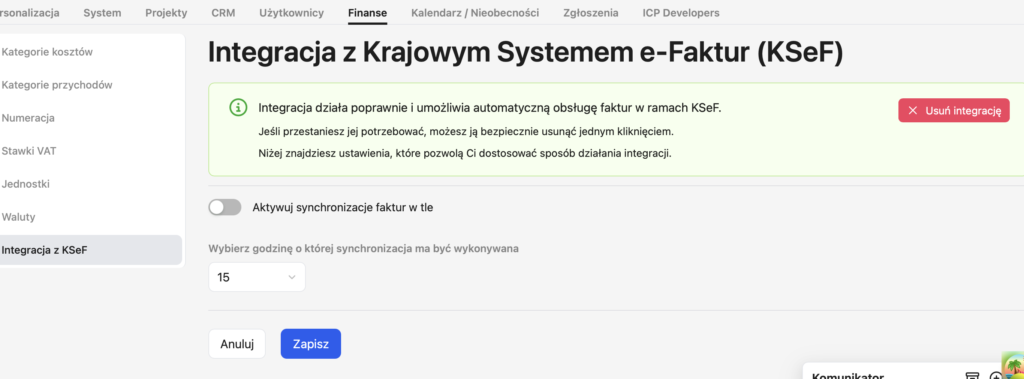
- Enable recurring synchronisation of sales invoices from KSeF.
- Set a specific time for synchronisation to run in the background.
IC Project can then regularly download invoices associated with the company.
4. Downloading invoices from KSeF
Once the integration is active, a new button appears in the invoice list:
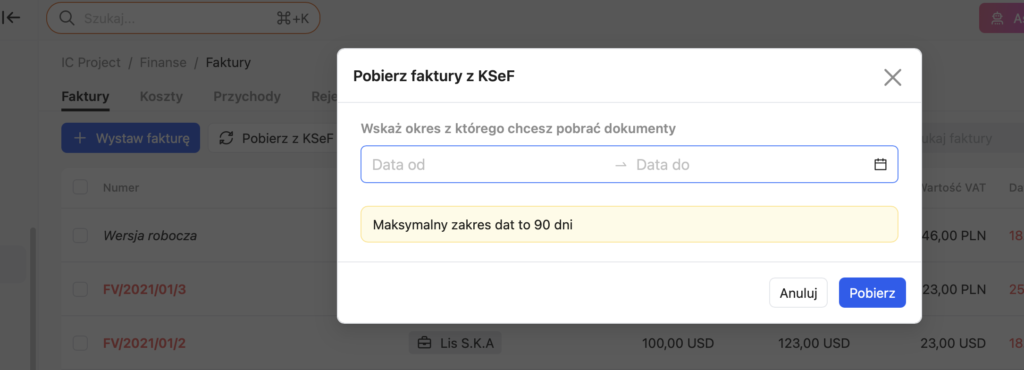
Download from KSeF.
Clicking this button:
- Opens a download view where you can select a date range for retrieving invoices from KSeF.
- Lets you download all sales invoices available in KSeF for the company.
Downloaded invoices appear directly in the IC Project invoice list.
5. Sending invoices from IC Project to KSeF
IC Project lets you:
- Create VAT invoices directly in the system.
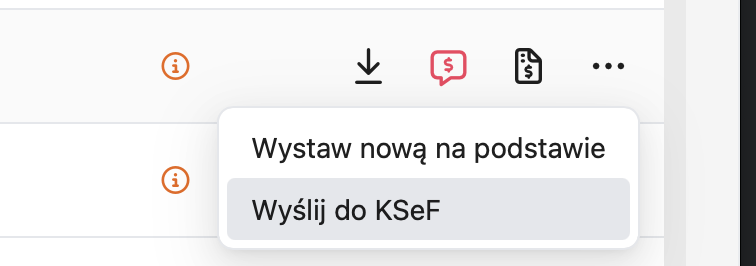
- Send those invoices to KSeF with one click.
The invoice list includes a Send to KSeF button.
After sending, the system:
- Checks the current invoice submission status.
- Lets you download the UPO (official acknowledgement of receipt).
6. Restrictions on external invoices
Invoices that are:
- Issued in another application,
- Then downloaded from KSeF into IC Project,
have the following options:
- ✅ You can view them.
- ✅ You can assign them to a project as revenue.
- ❌ You cannot edit them or send them to KSeF again.
This maintains consistency with the source system.
What are the practical benefits?
- A single invoice list without logging in to multiple systems.
- Automatic sales invoice imports.
- Secure submission of VAT invoices to KSeF.
- Full control over statuses and acknowledgements of receipt.
- The ability to link invoices to projects and settlements.