
Reports
Absence report broken down into days
The Absence report broken down into days is a specification of days and users who were absent on the given day generated in IC Project.
To generate a report, go to the Reports menu and select the Absence report broken down into days.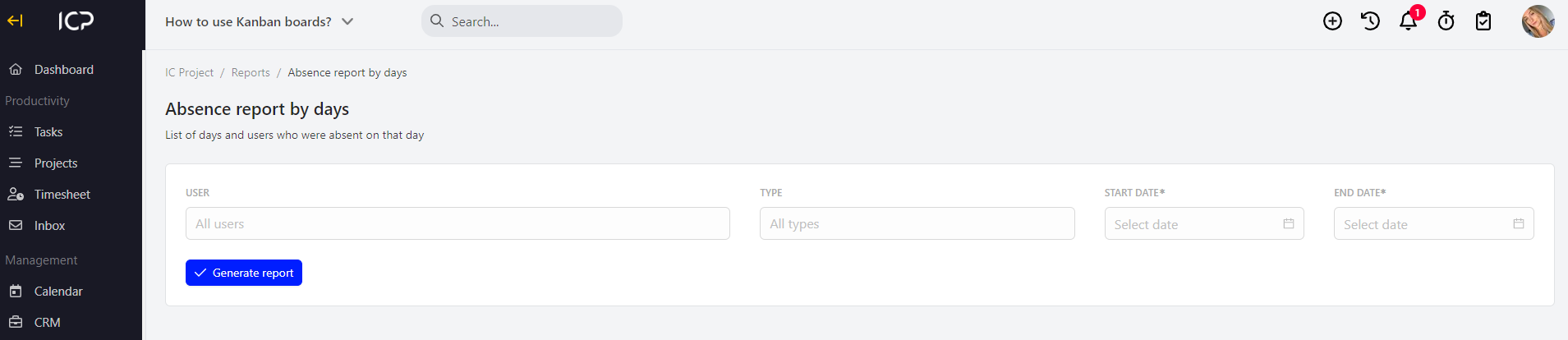
Now, select the user/s for whom you want to generate the absence report and timeframes. You can also specify the type of absence: on demand, unpaid, holiday, sick.
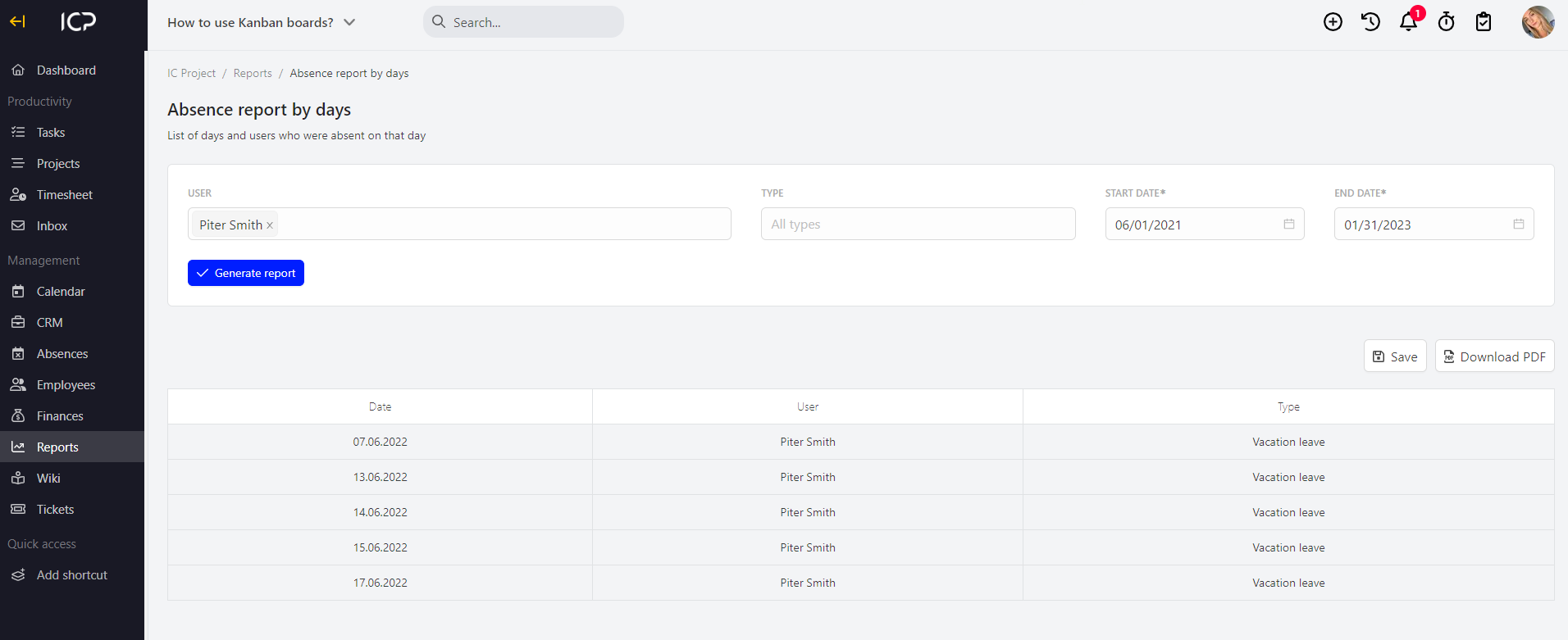
The generated report can be downloaded to PDF format by clicking  . If you click
 the report will be saved in the section Reports > Saved reports.
Categories:Reports