
Reports
User time report
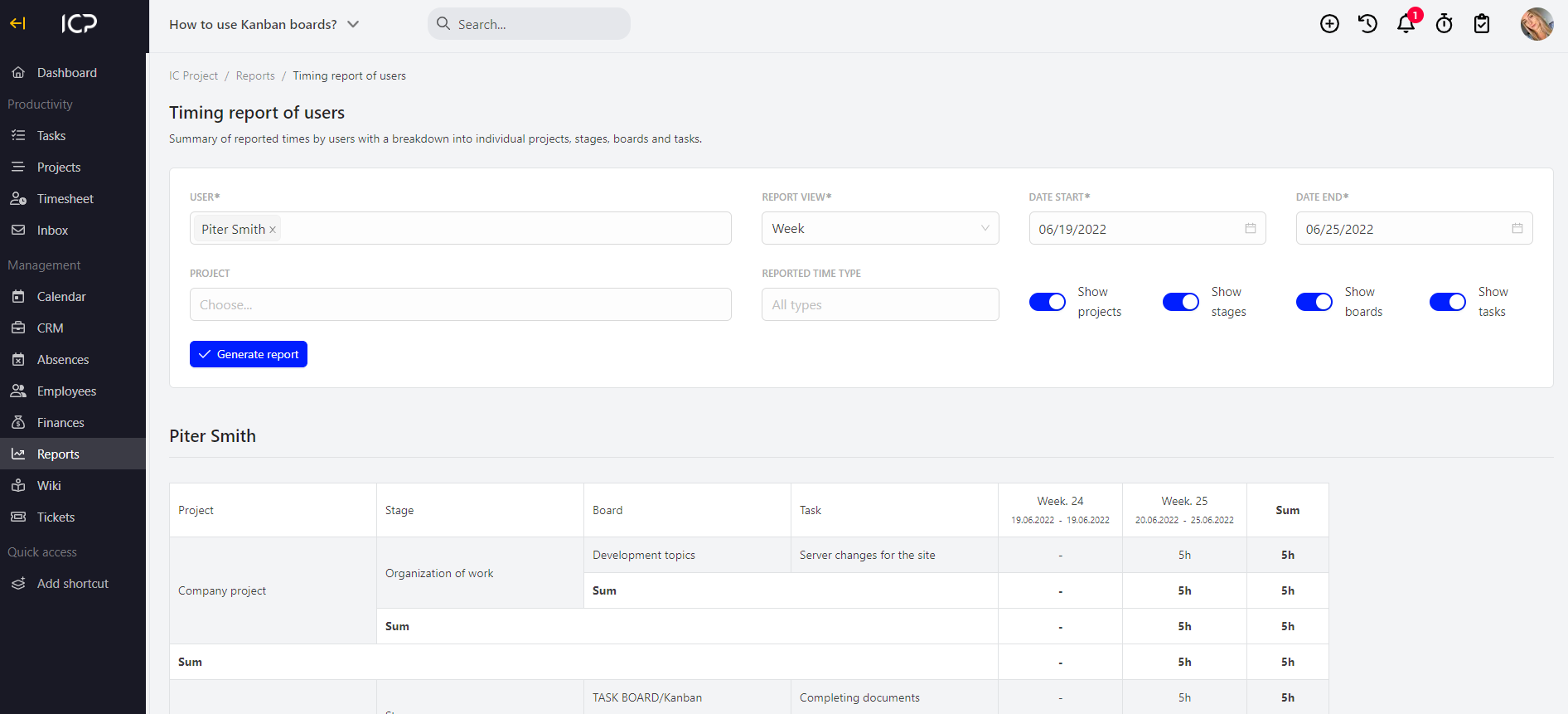
The user time report generated in IC Project is a specification of reported user worktimes broken down into projects, stages, boards and tasks.
To generate a report, go to the Reports menu and select the User time report.
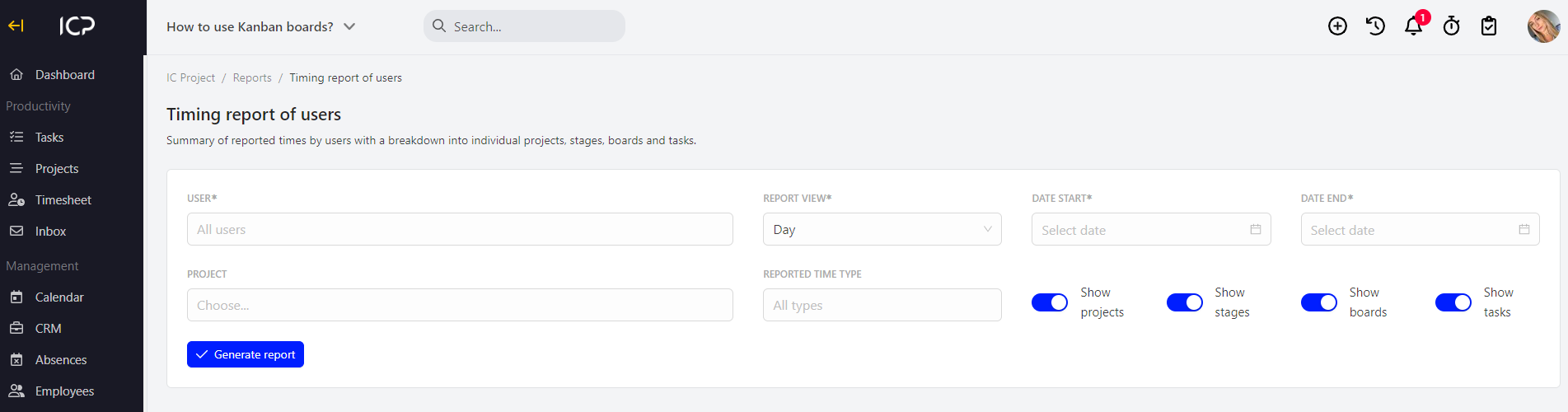
Now, specify the criteria for the generated report. The mandatory fields include:
- user/s
- report view – daily, weekly, monthly, annual
- report timeframes
Moreover, you can specify the following:
- project
- type of reported time – paid, unpaid, payable
- adjustment of the level of detail of the report using the
 switch
After you adjust the fields, select the  button.
Categories:Reports