
Automatic project summaries
Use the AI Assistant to summarise project progress, tasks, team activity and logged time for a selected period.
AI in IC Project: automatic project summaries!
Welcome to artificial intelligence in IC Project! 🎉 The dedicated AI Assistant helps you work with projects more efficiently. Here we focus on one of its key features: automatically creating project summaries.

The AI Assistant lets you quickly build project structures and generate detailed summaries of selected projects for selected date ranges. It helps you understand what is happening in your projects and make informed decisions. 🎯

How do I create an automatic project summary?
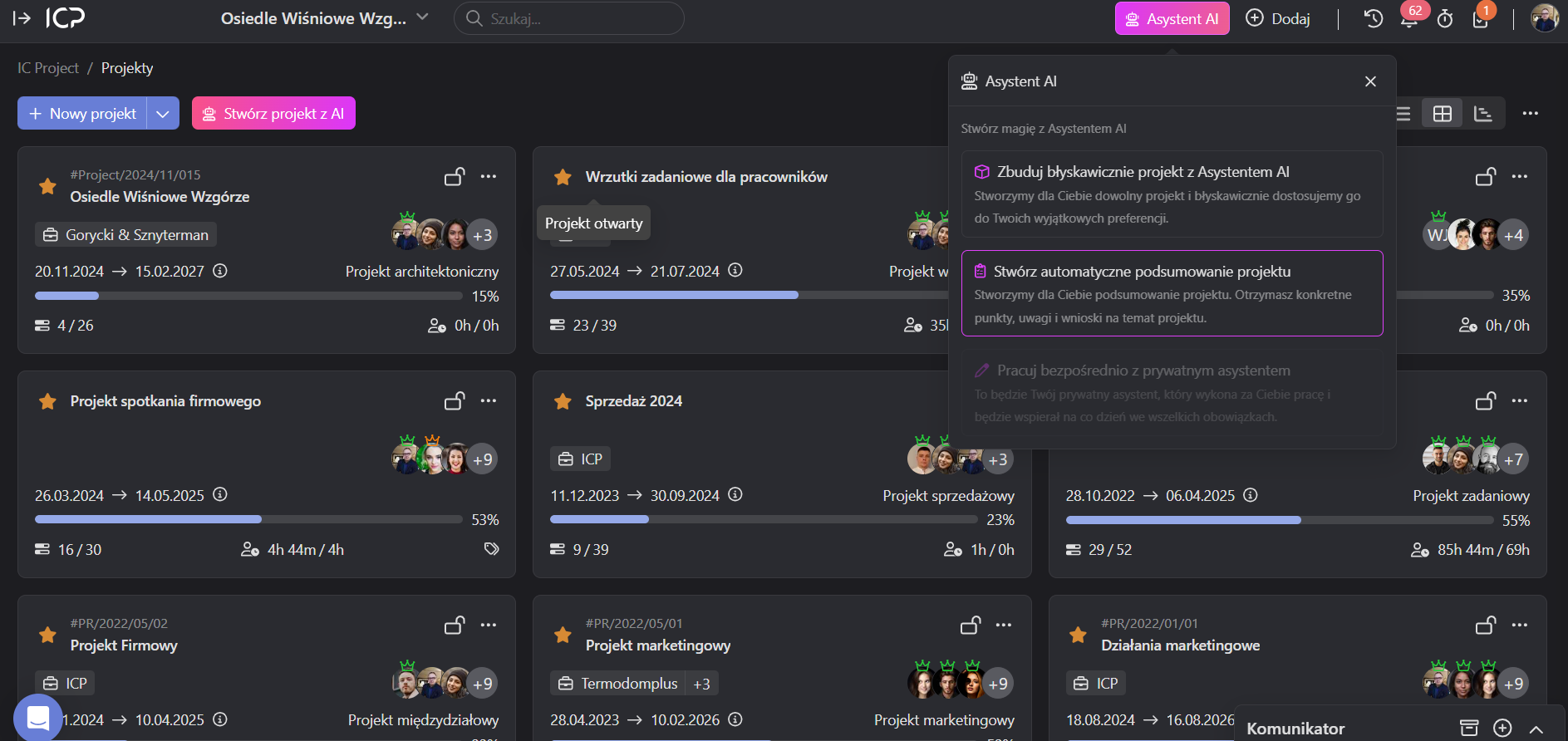
Let's get started. You can find automatic project summaries in the top menu, under AI Assistant.
- Click Create an automatic project summary.
You will see two options:
- Select a project: decide which project to summarise, such as a marketing project.
- Time range: choose the period that interests you — 24 hours, 3 days, 7 days or a whole month. You decide how often to catch up! 🗓️
💡 Example: choose a marketing project and a 7-day range to see what happened over the week.
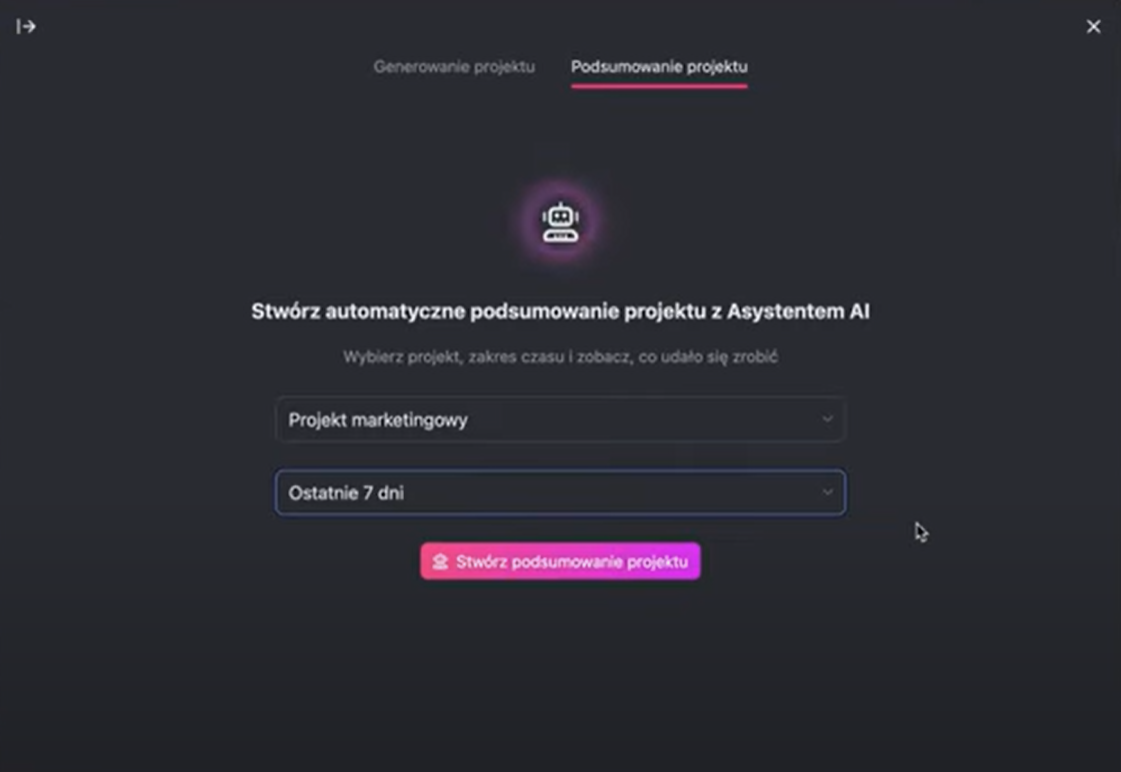
After selecting the project and time range, click Create project summary.


The AI Assistant gathers the project's data and presents a focused summary in moments.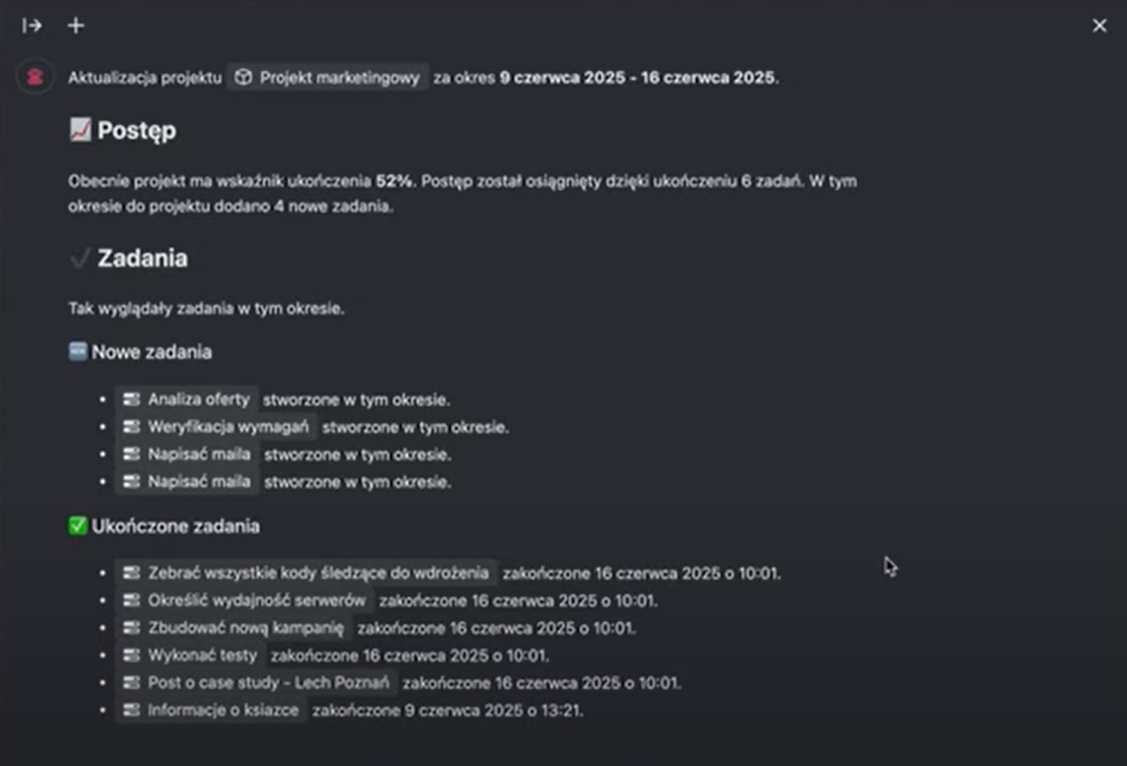
What does the project summary contain?
The generated summary provides a wealth of information:
- Progress: the percentage of the project completed and the number of tasks completed during the selected period.
- Task breakdown:
- New tasks: how many tasks were added.
- Completed tasks: how many tasks were finished.
- Overdue tasks: which tasks are past their deadlines.
- Important: every task has a direct link, so you can open it in a new tab and check details, such as why it is overdue. 🔗
- Team activity:
- Most active members: who contributed most to the project.
- Tasks completed by the team: who completed which tasks.
- Overdue tasks and their assignees: the system shows who is responsible for delayed tasks and lets you contact them quickly, for example through a notification. 🔔
- Logged time:
- The total hours logged in the project.
- A detailed breakdown of time logged by individual team members.
- What needs attention? Inactive tasks! The AI Assistant identifies tasks that have not been updated in the last 14 days. You can quickly check why they are not moving forward and take action. 🕵️♂️


Summary and next steps
The project summary provides structured information about progress, tasks, team activity and logged time. We hope it meets your needs and helps you keep up with changes.
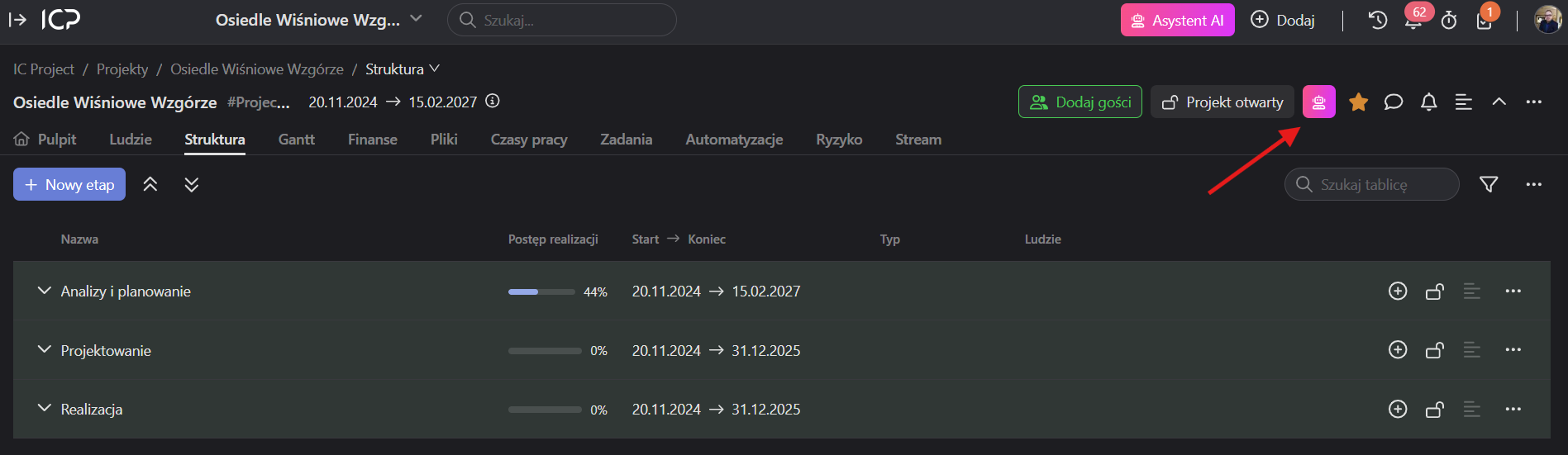
You can generate summaries from the top menu using the AI Assistant, or directly from a project's view using the dedicated icon.
The purpose of this module is to help you draw conclusions and make informed decisions. AI in IC Project is designed to automate manual processes, not replace your work.
We would love to hear your feedback on using the AI Assistant. This is only the first stage of AI development in IC Project. “AI First” guides our everyday work, and more modules and solutions are coming to make your work even easier.
If you have questions or feedback about the AI Assistant, let us know! 😊
