
Projects – Automations
In IC Project, you can create automations in the project of your choice.
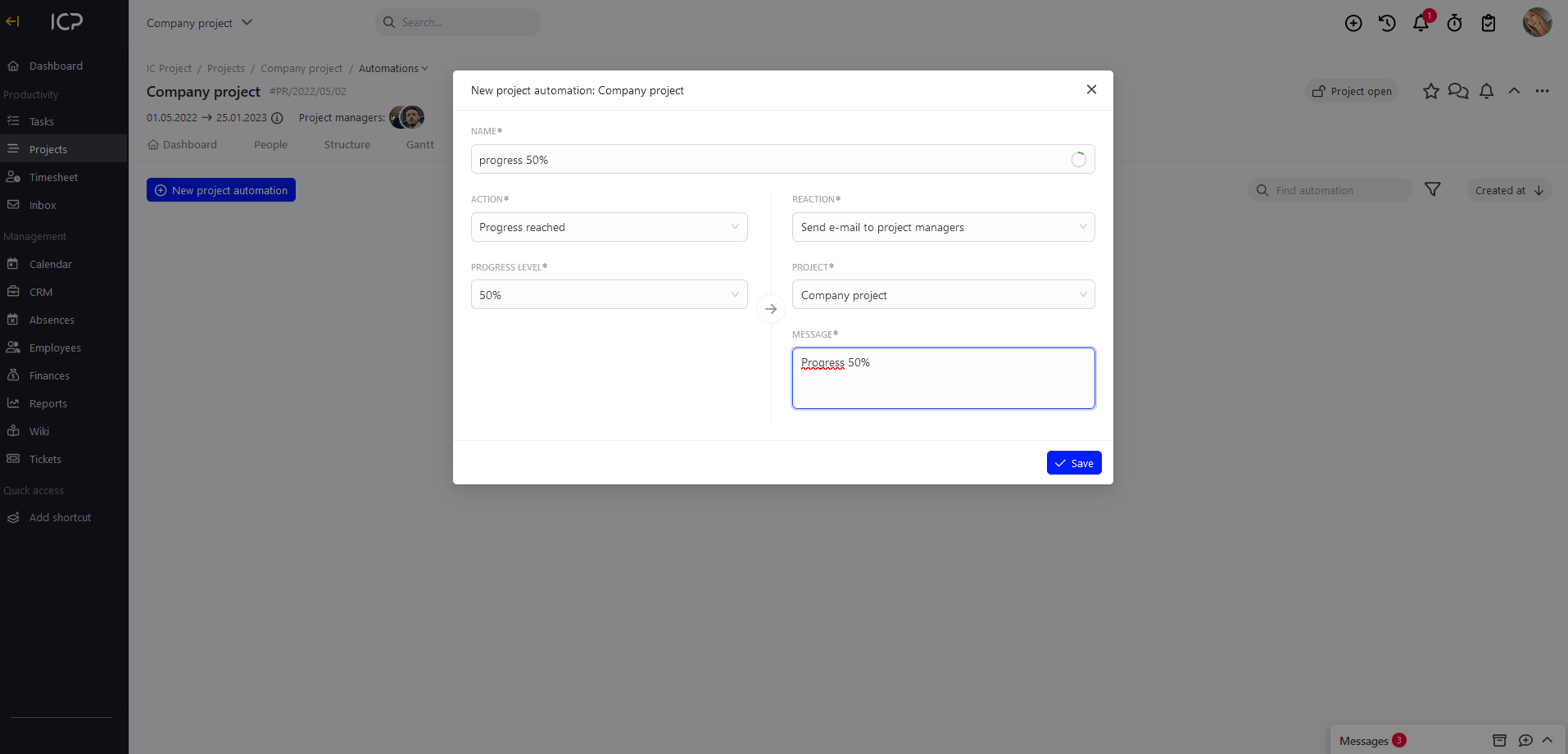
Automations can be created by:
- Project Manager of the given project
- Person authorised to manage projects
- System administrator
What are the automations?
Automations enable creation of conditions satisfaction of which results in performance of a specific action.
In IC Project, an ACTION creates REACTION.
Possible automations:
- End date approaching
- Here, we specify the time until the end date
- Progress made
- Here, we specify the progress level in %
- Failure to reach progress before the end date
- Here, we specify the progress level in % and the time to the end date
- Failure to reach progress before the specified date
- Here, we specify the progress level in %
How to create automations in the project?
Go to the selected project and to the Automations tab.
Click 
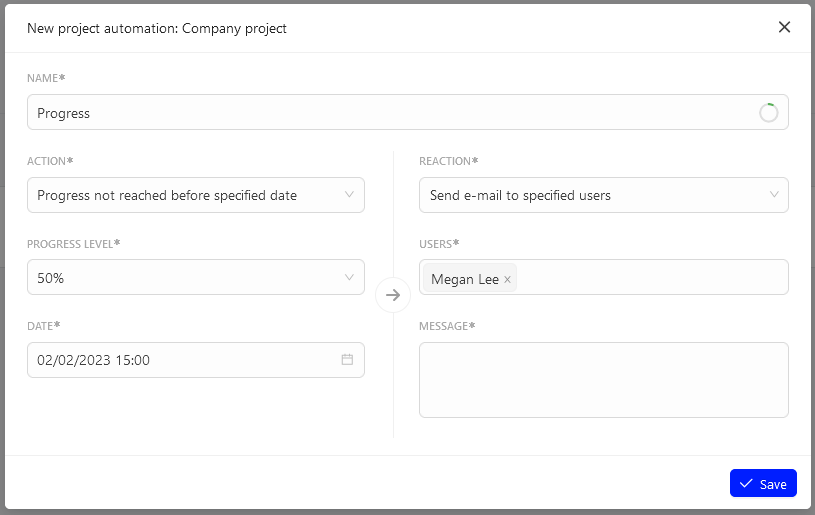
A window will be displayed where you can create an automation.
Select the ACTION.
Enter the automation name.
Select an action from the drop-down list, e.g. failure to reach progress before the specified date.
Determine the access level, e.g. 50%, and specify the date, e.g. 02.02.2022 15:00
Select the REACTION.
Send an e-mail to specific persons.
In the user field, select people to whom the e-mail is to be sent. Enter also the message content. Then, click  .
The created automation will be saved in the automation list.
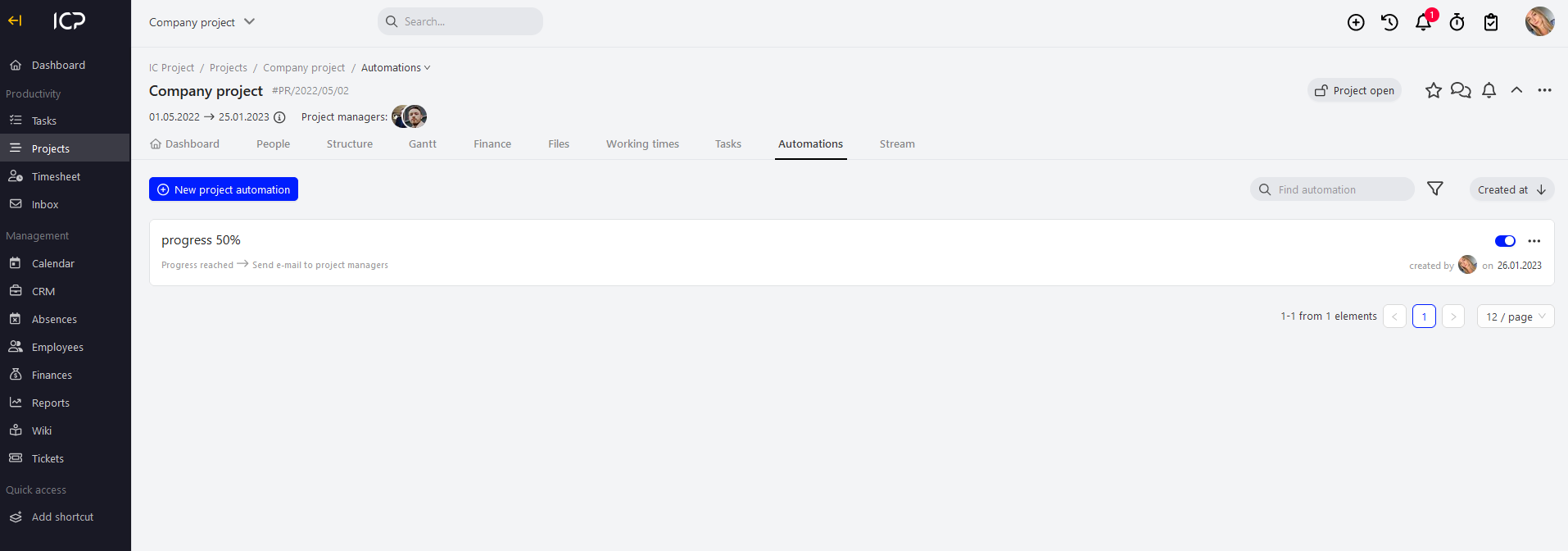
You can manage the automations in the automation list. You can enable/disable or remove them.