
Apple Calendar integration
Learn how to synchronise your IC Project calendar with Apple Calendar.
How do I integrate IC Project with Apple Calendar?
Calendar integration helps you stay efficient and organised. This guide shows how to synchronise IC Project with Apple Calendar quickly and easily, keeping events, tasks and leave at hand. Let's get started! 🚀

Step 1: synchronising IC Project to Apple Calendar
Start by sending IC Project data to Apple Calendar. The process applies to events, leave and tasks. We will use events as an example.
Copy the IC Project calendar link:
- In IC Project, open the calendar settings.
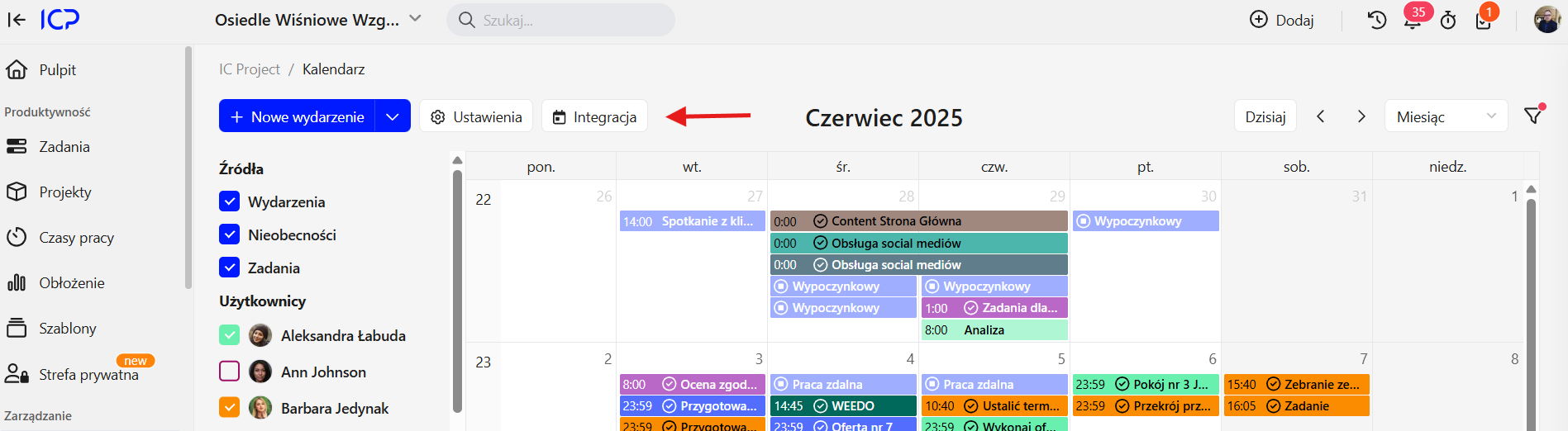
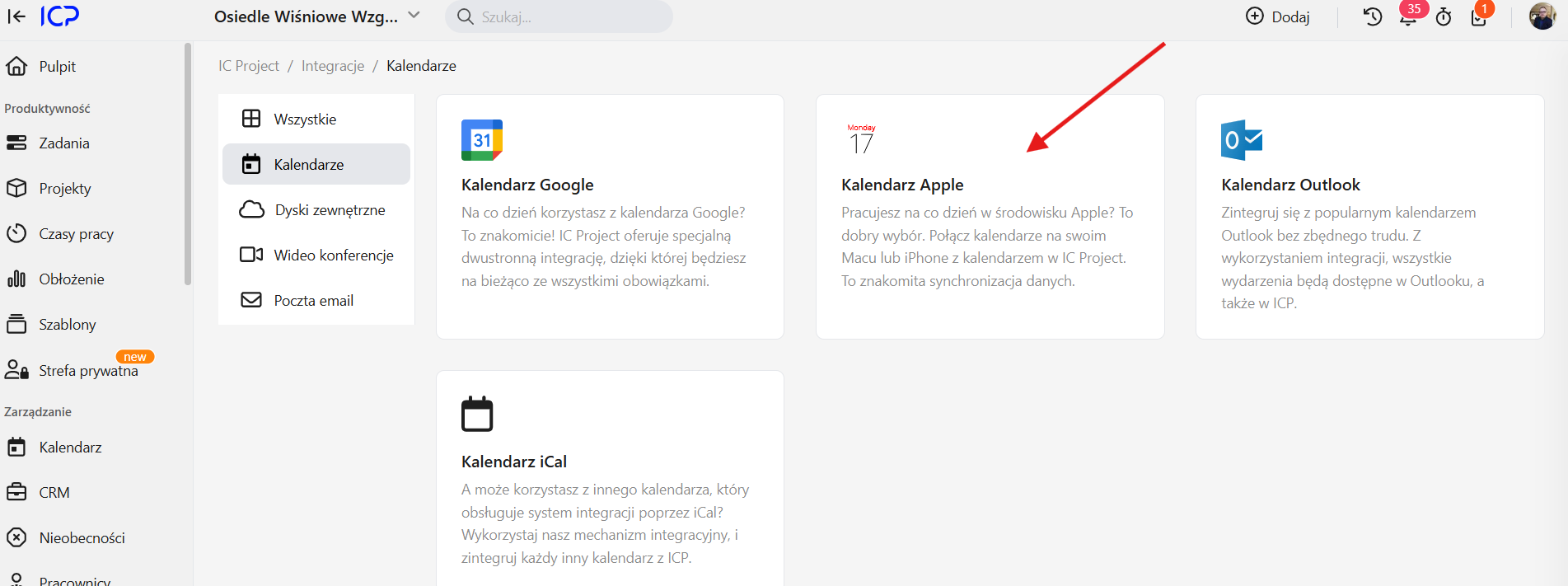
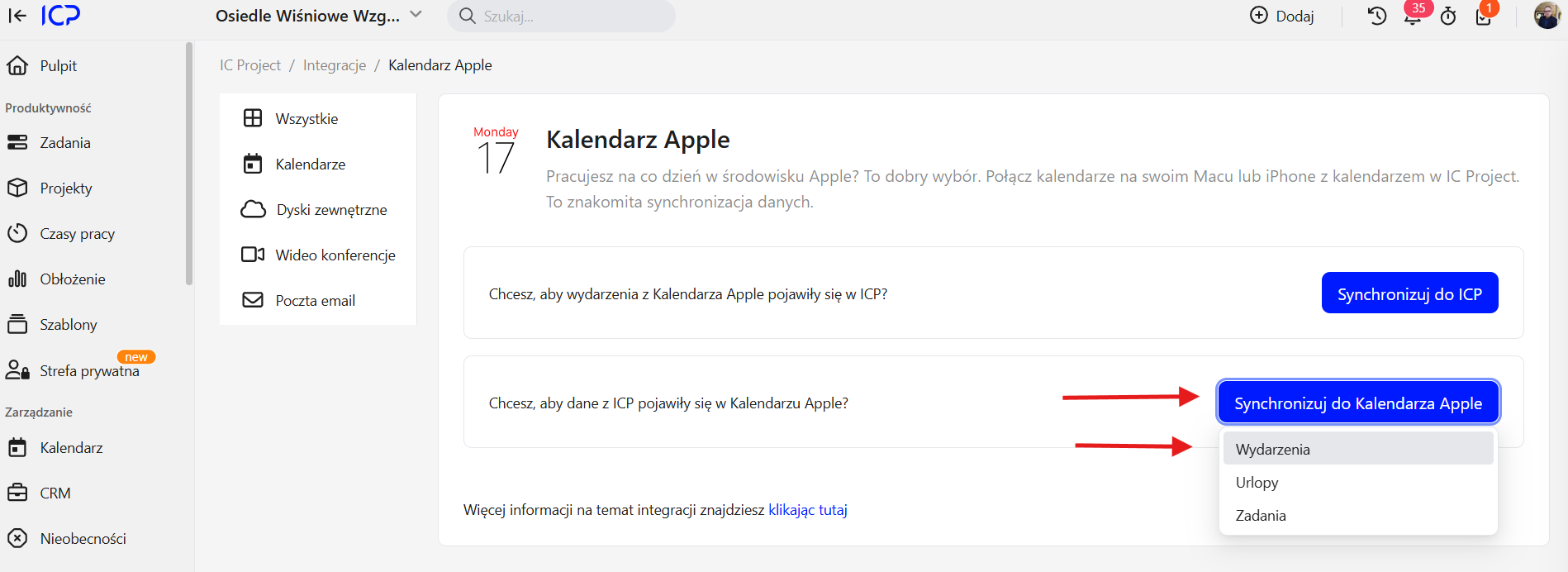

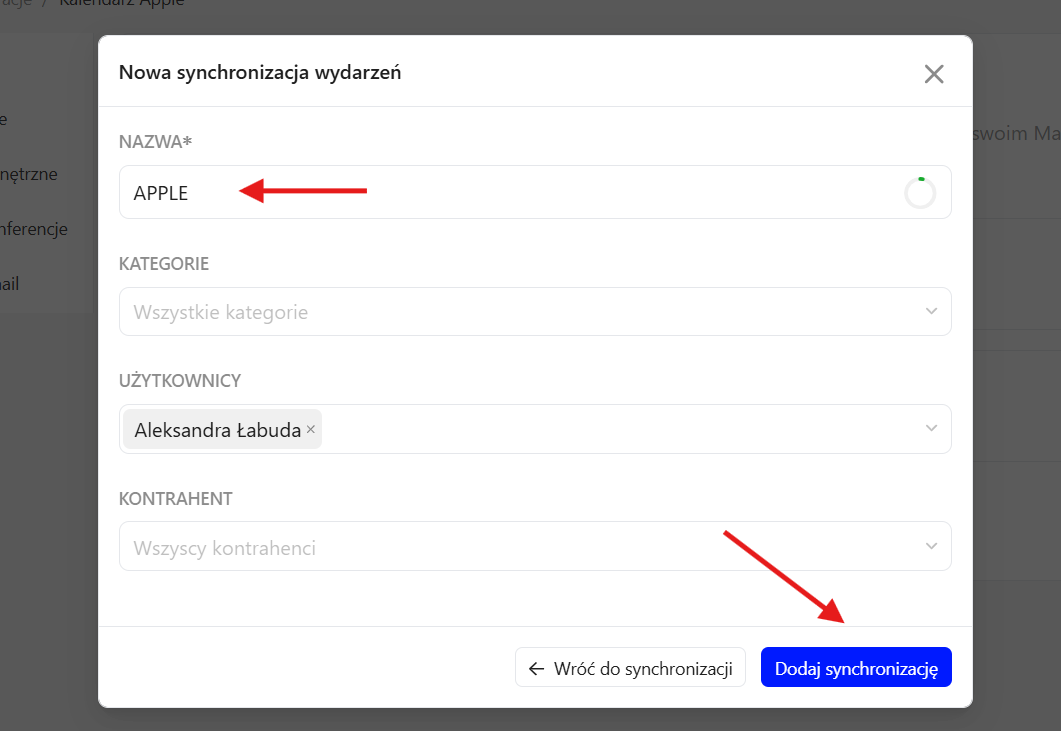
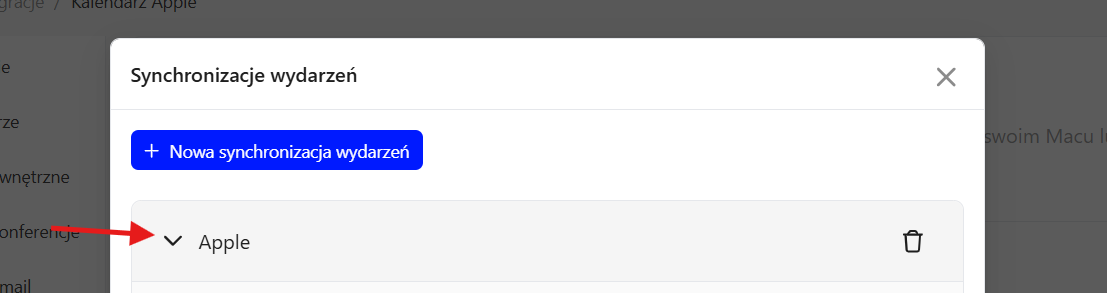
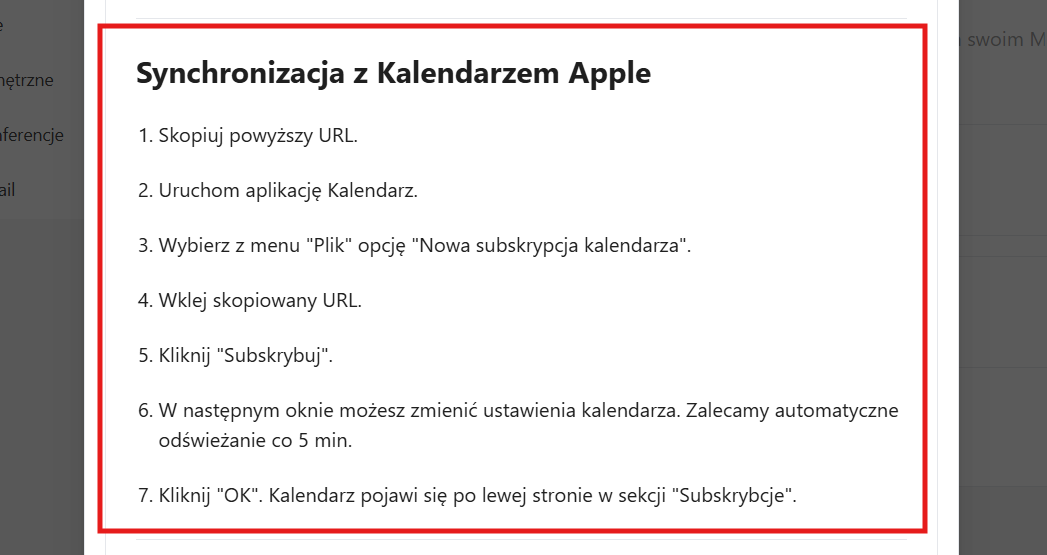
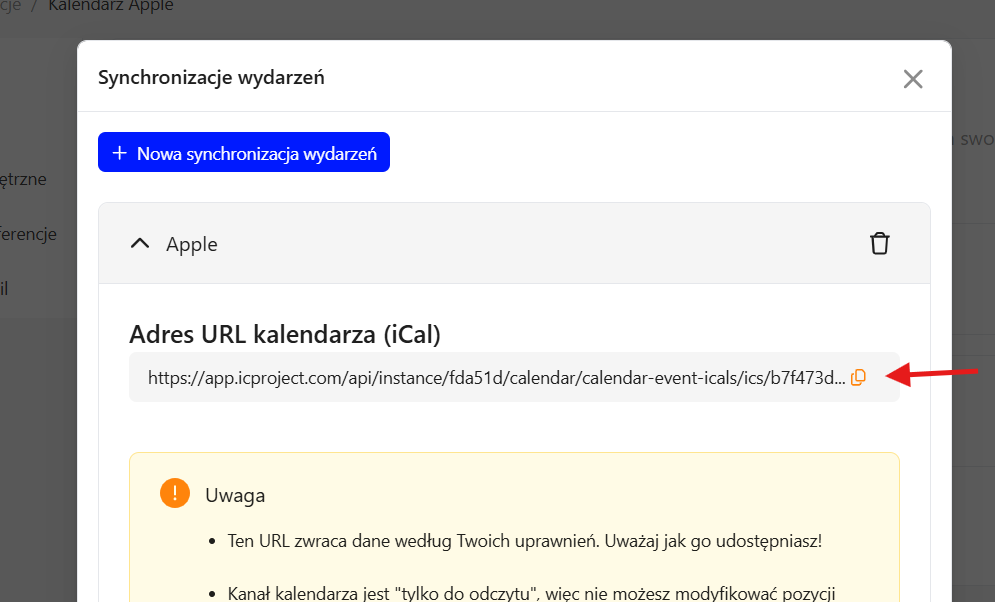
- Find the step-by-step synchronisation instructions.
- Use the dedicated button to copy the link to your IC Project calendar. This is the key step.
Add a subscription in Apple Calendar:
- Open Apple Calendar.
- Select New Calendar Subscription.

- Paste the link copied from IC Project.
- Click Subscribe.
Synchronisation settings:
- A window with additional synchronisation settings appears.
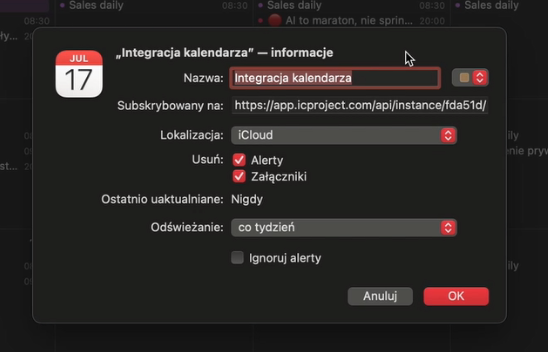
- Name the calendar, for example “IC Project Calendar”.
- Set the refresh frequency, such as every 5 minutes, to keep data up to date.
- You can also choose a colour to distinguish it from other calendars.
- Confirm with OK.
Your IC Project calendar now appears in Apple Calendar's left-hand menu.
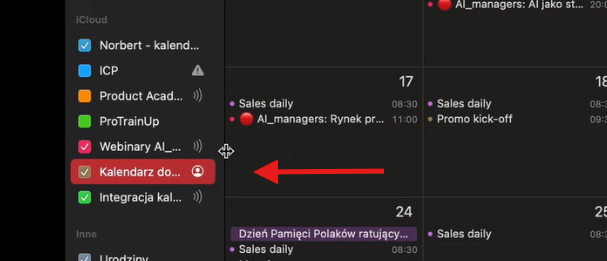
Select it to display all IC Project events directly in Apple Calendar! 🎉

Step 2: synchronising Apple Calendar to IC Project
Publish a calendar in Apple Calendar:
- From your Apple calendars, select the one you want to share.
- Publish it.
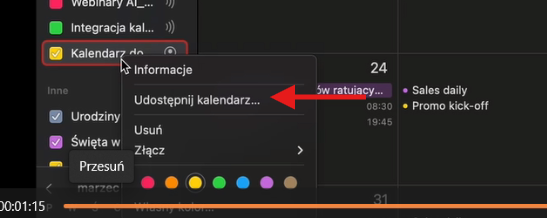
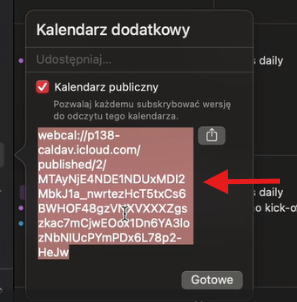
- A dedicated link is generated. Select and copy it.
Add an external calendar in IC Project:
- Open your calendar in IC Project.
- Find and click the plus (+) button in the other calendars list to add an external calendar.
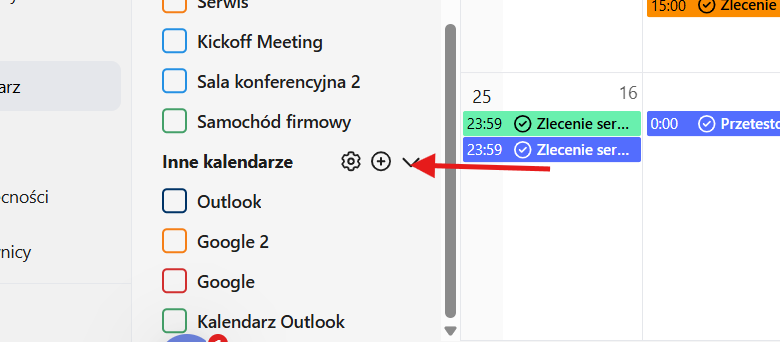
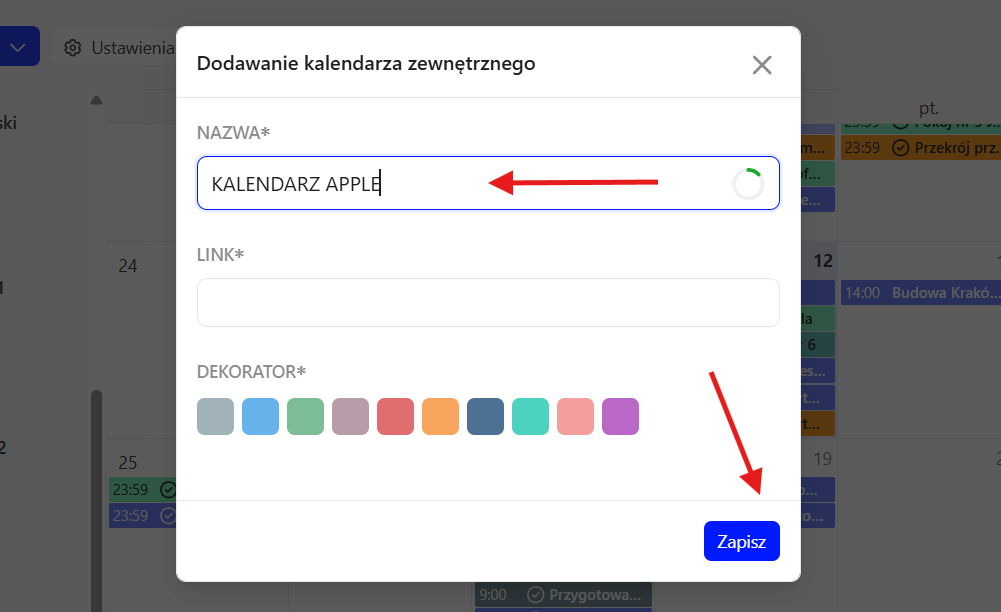
- Name it, for example “Apple Calendar”.
- Paste the link copied from Apple Calendar.
- Choose a colour to make it easier to identify.
- Click Save.
The new external calendar appears in your IC Project calendar list and is saved in the system settings.
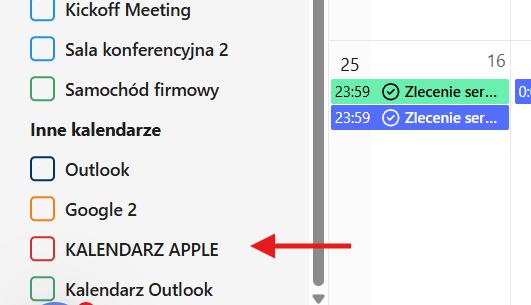
Select it to see all Apple Calendar events directly in IC Project. It's that simple! 👍

We hope this guide helps you manage your calendars efficiently.