
Finances
How to edit an invoice?
The invoice can be edited only when it is non-booked.
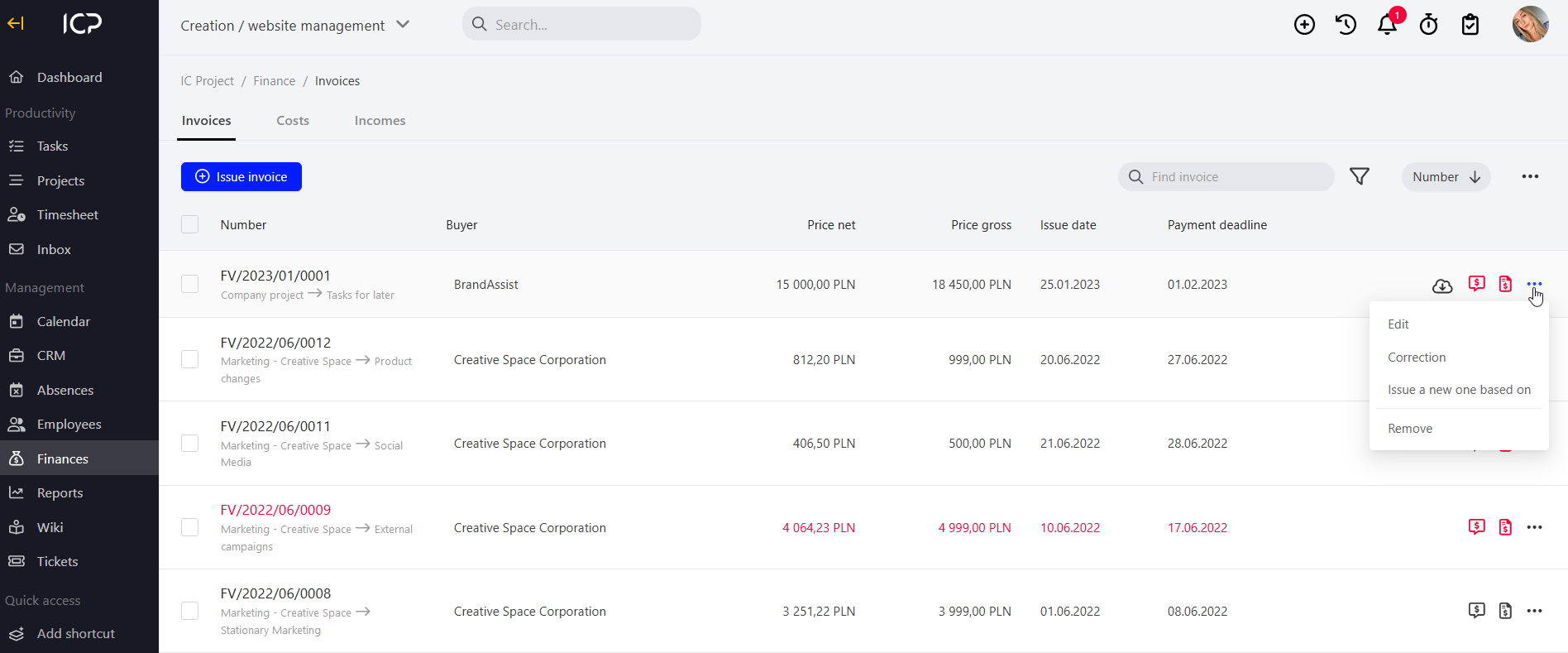
Go to Finance > Invoices. Invoice statuses can be checked in the collective invoice view on the right. Invoices marked in red are unpaid and/or non-booked. Black means that the invoice is paid and/or booked.
If you want to edit an invoice, click  at the selected invoice and select edit.
Enter invoice editing, make the changes and click  .
Categories:Invoices