
Tasks
Task comments & mentions
Add comments, mention people and attach files to the conversation.
Add comments
Team communication is key. Use it. To add a comment to the task, go to the Comments tab or click  and write the message. You can tag a person in the comment. To do this, use the character @ at the beginning of the comment and select the person you want to tag.
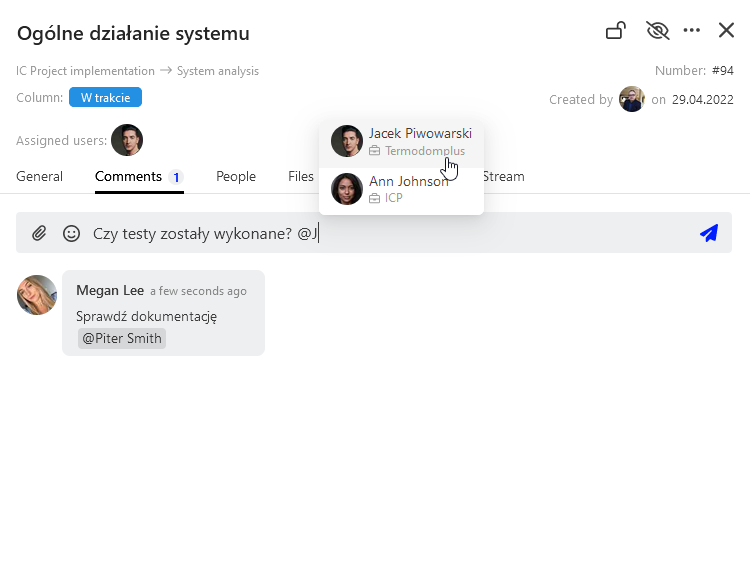
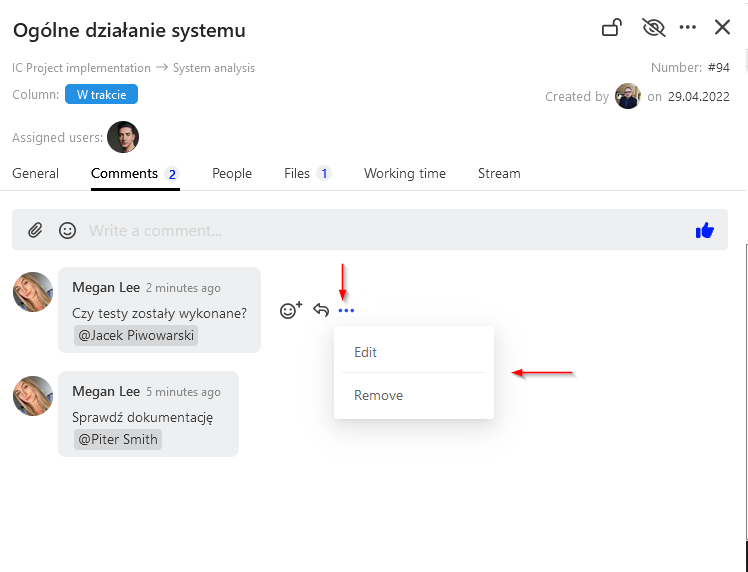
Select the  icon to add an attachment to the comment. To remove or edit a comment click at the selected comment
 and pick the right option.
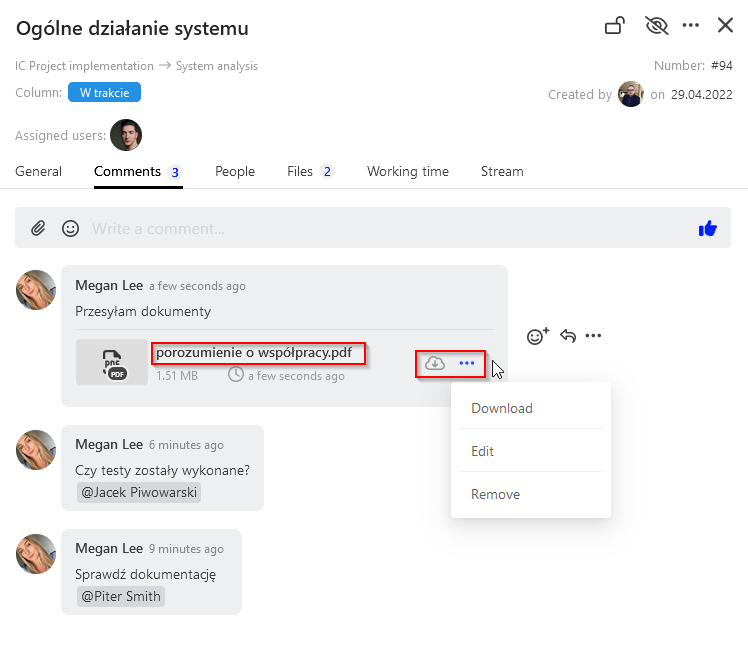
You can also quote a selected comment and reply to it. Use the icon and reply to the comment. You can also download the attachment at the comment. To do this, click the name of the given attachment or select icons
 or
 , then click download.
Categories:Tasks