
How do task weights work?
Learn about task weights and how they affect project progress.
New in IC Project: task weights!
We are pleased to announce another IC Project feature that will improve project management: task weights. This long-awaited feature measures project progress based on the actual value of tasks, rather than simply their number.
How did it work before?
Previously, progress was calculated from the number of tasks. If a project had two tasks and one was completed, progress was automatically 50%, regardless of the tasks' complexity or the time needed to complete them.
Example:
Task 1: Completed ✔️
Task 2: To do ⏳
Project progress: 50%
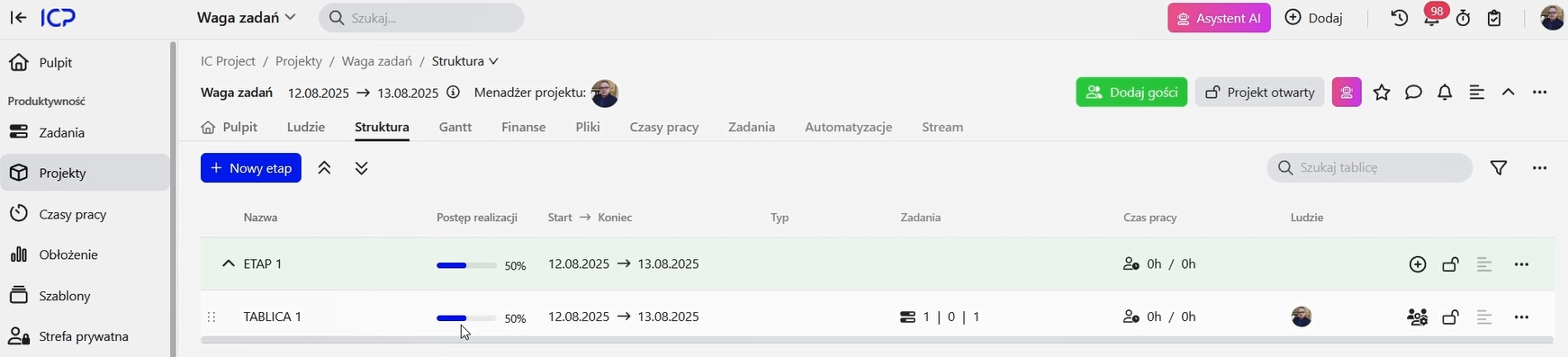
This simple approach did not always reflect the actual state of the work.
A new method: task weights
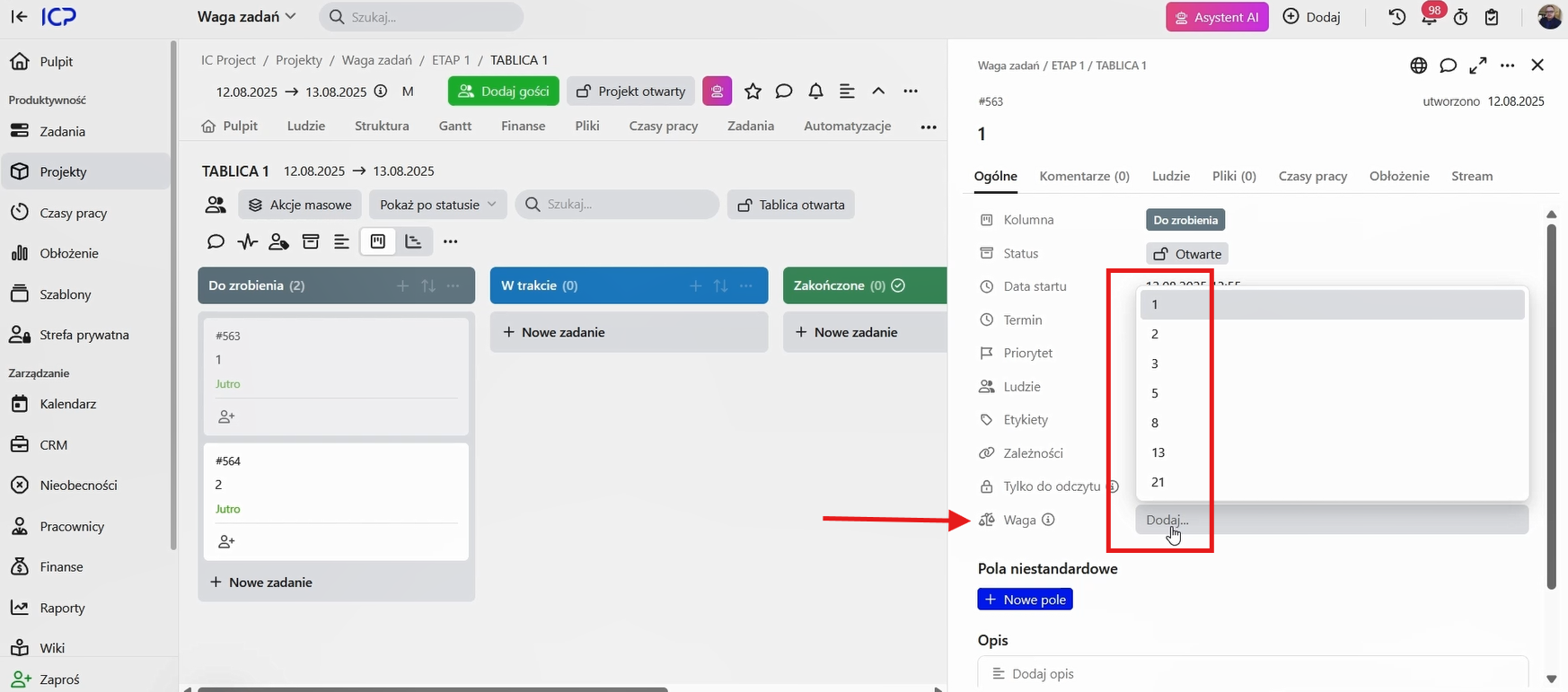
This is changing! Task weights are based on the Fibonacci scale, which is often used in agile methods such as Scrum. Tasks can be assigned points that reflect their difficulty, complexity or time requirements.
What are the benefits? 💡
With weights, you no longer need to estimate exact working hours. The Fibonacci scale grows non-linearly (for example, 1, 2, 3, 5, 8, 13…), making it easier for the team to assess and agree on task complexity quickly.
A simple rule:
Smaller numbers (1 by default): simple tasks that are quick to complete.
Larger numbers (such as 5, 8 or 13): more complex tasks requiring more time and effort.
1–3 points: easy to moderately difficult tasks.
5–8 points: more involved tasks.
13–21 points: complex tasks that are often worth breaking into smaller stages.
Let's see how it works in practice!
Imagine a project with two tasks, one of which is much more complex and time-consuming.
Task 1 (complex): assign a weight of 8 points ⚖️
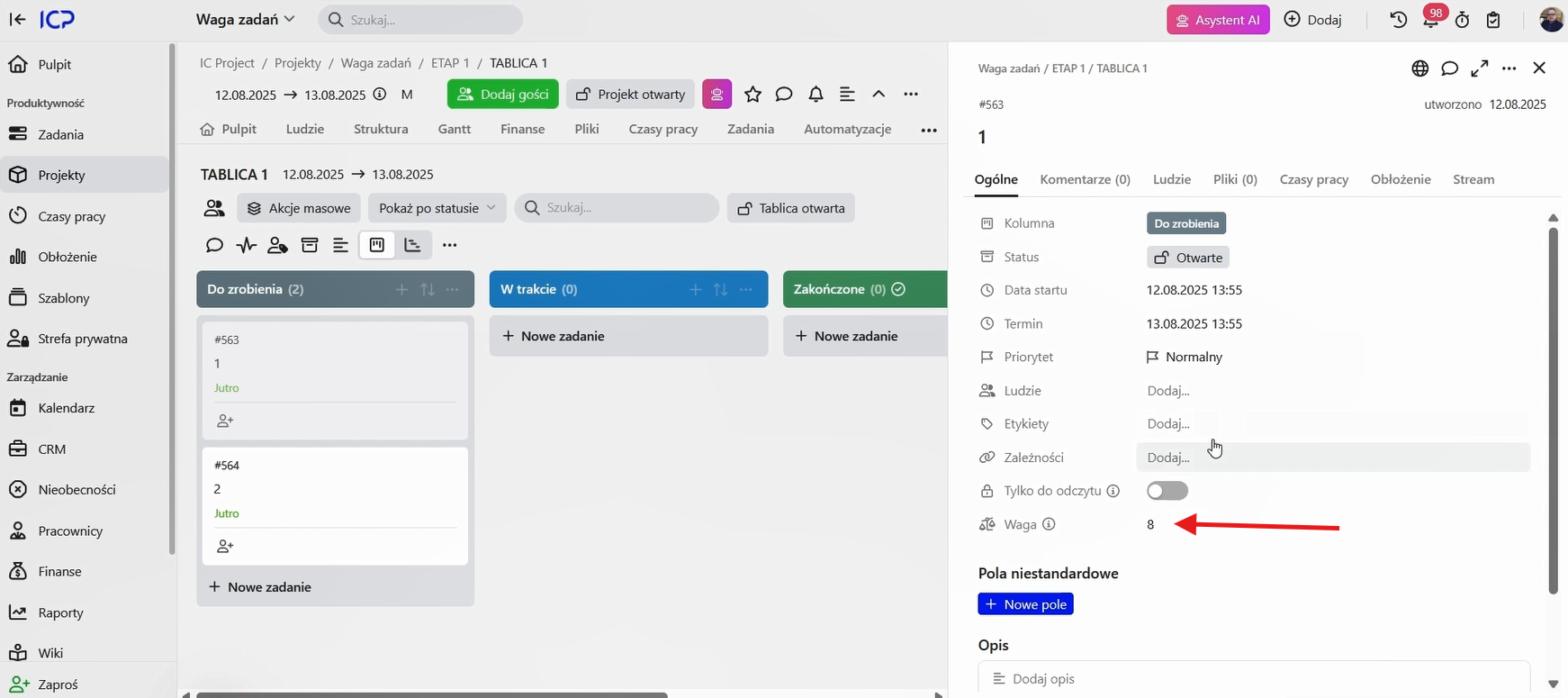
Task 2 (simple): assign a weight of 1 point ⚖️
When the team completes Task 1, the system no longer shows 50% progress. Instead, project progress reaches 88%! 🥳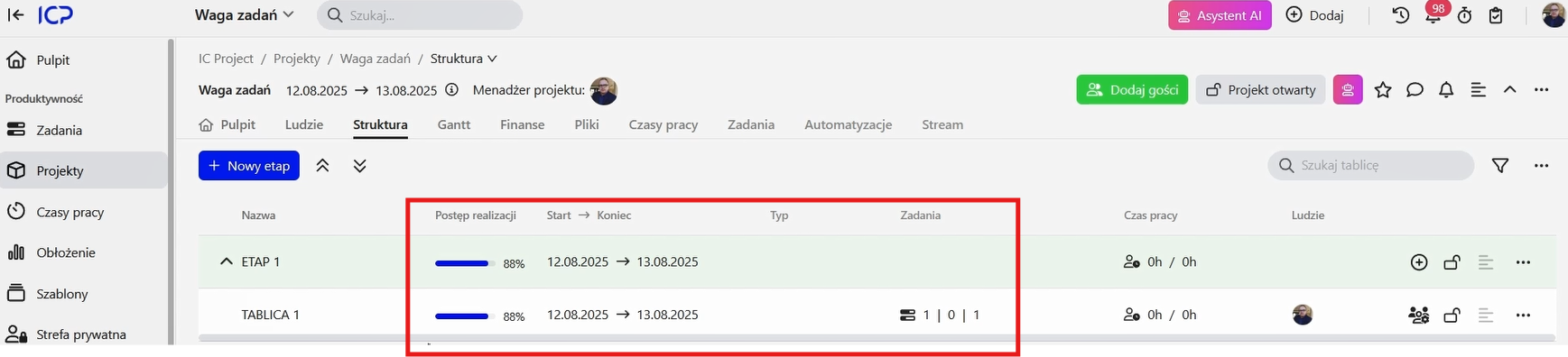
This makes project progress more precise and realistic. You gain control over how task complexity affects progress towards your overall goals.
How do I assign task weights?
You can assign a weight by editing a task and selecting the appropriate difficulty level.
We hope this feature makes your everyday work easier and helps you plan projects even better! 🤝