
Calendar & meetings
How to add a new event to the calendar?
You have two options to choose from:
1.Click the selected calendar day with the left mouse button and pick what you want to add: event, task, leave (absence) application.
2. Click the blue button lor retract it by means of
 , to add a task or absence.
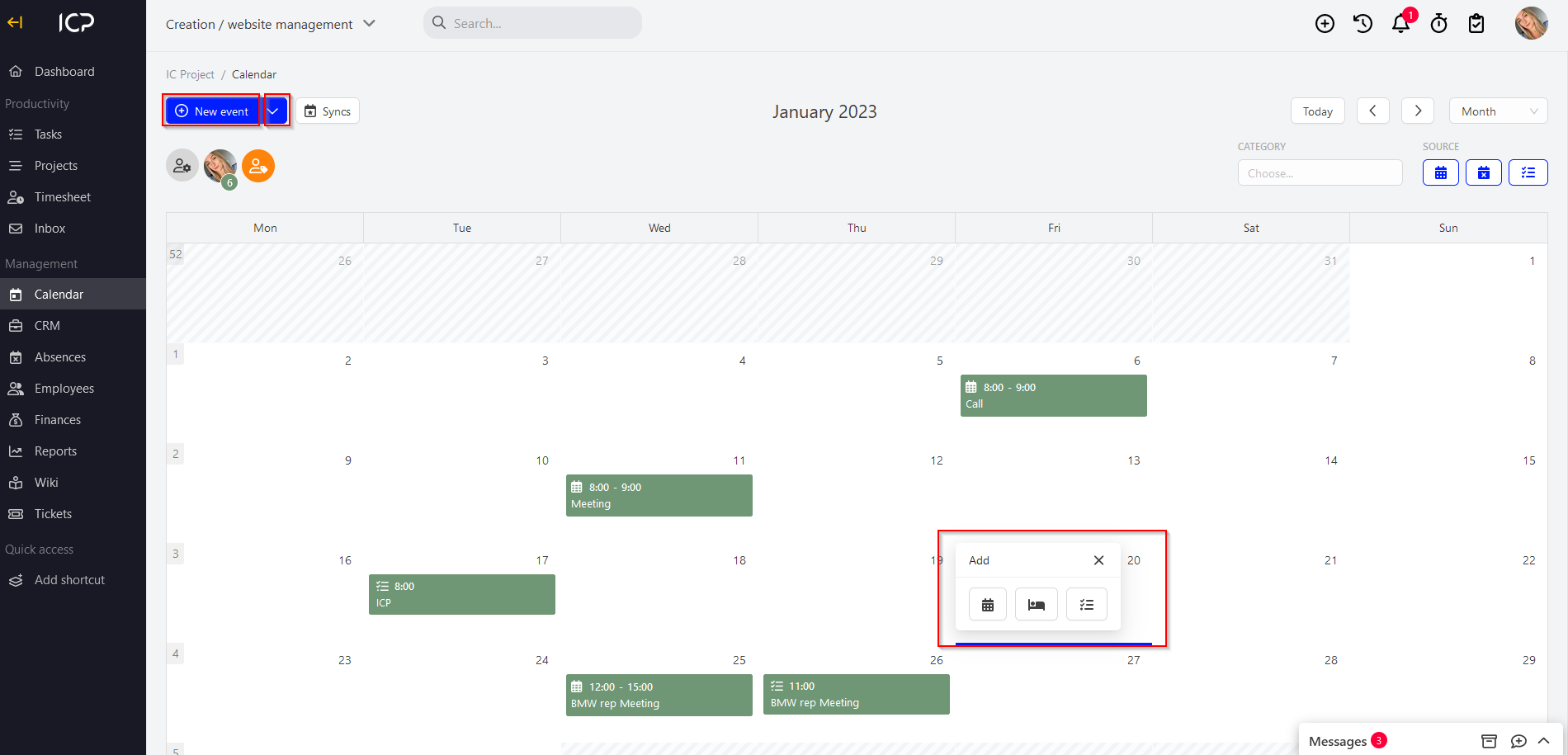
Creating a new event
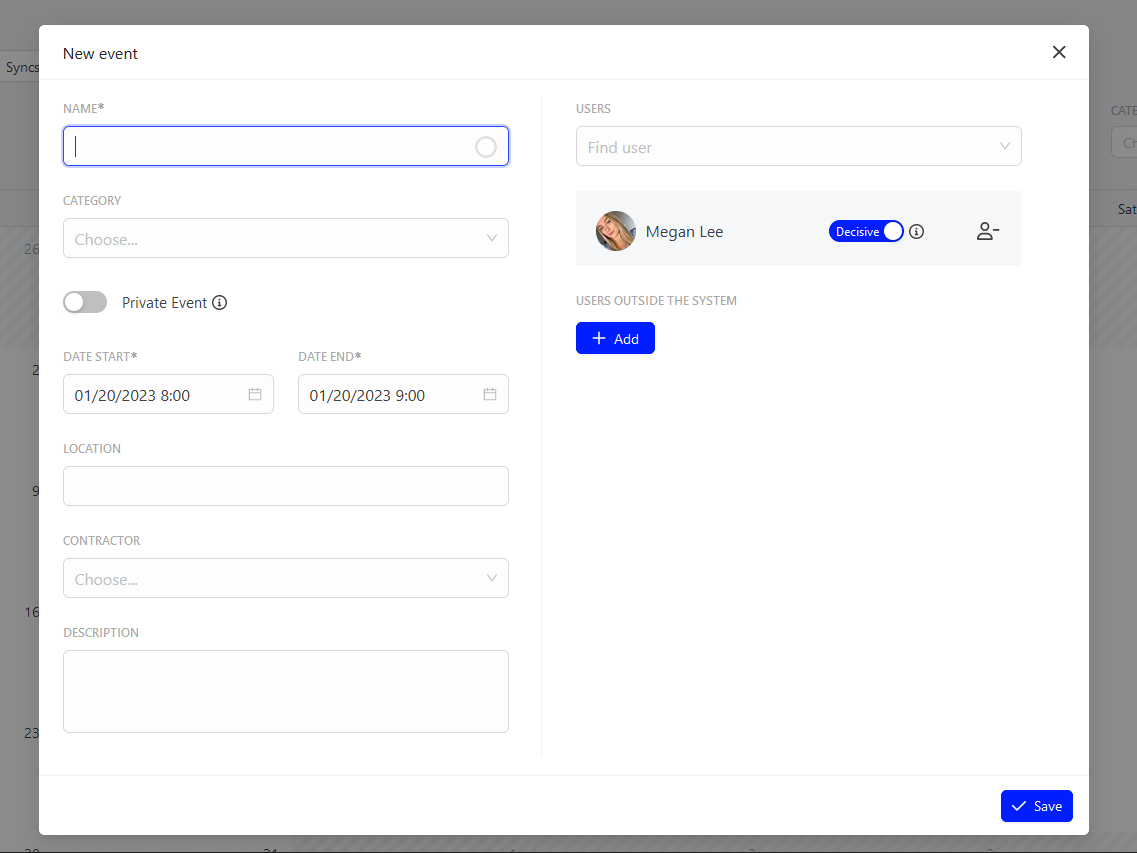
To create a new event in ICP, complete the pop-up window. Enter the following:
- event name,
- category (Note! The category is defined in the system settings Calendar / Absences > Event type), e.g. a conference hall, meeting, business car,
- option “private event”. You can decide if the created event will be a private event. Your co-workers will see the added event, but marked as a private event,
- start <> end date,
- location,
- contractor – if you determine the contractor in the calendar, you event will be saved also in the special calendar in the CRM module and will be assigned to the specific contractor,
- description,
- participants (event participants). When you add a user, you can check the “decision-making” option. If this option is enabled, the given person can edit the event created by you.
Categories:Calendar & meetings