
Calendar & meetings
How to submit a leave application in the calendar?
Click and select “Submit a leave application” or click the selected day in the calendar and select the symbol.
Click  and select “Submit a leave application” or click the selected day in the calendar and select the symbol
 .
Complete the window by specifying:
- the leave type, e.g. holiday leave (Note! The leave type is defined in the system settings Calendar / Absences > Absence types)
- the leave dates,
- message,
- advanced – here you select the day of application submittal
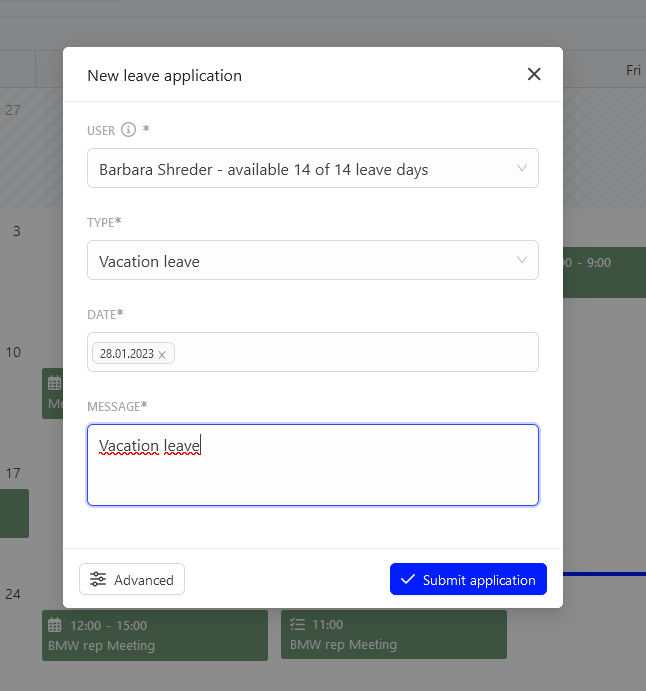
After you complete the data, click  .
Categories:Calendar & meetings