
Team & time off
How to change the leave application status?
The status of leave applications can be changed by the administrator or person authorised to manage leaves.
Go to Absences > Leaves for acceptance and in the Status column click  and select accept, reject or cancel the leave application.
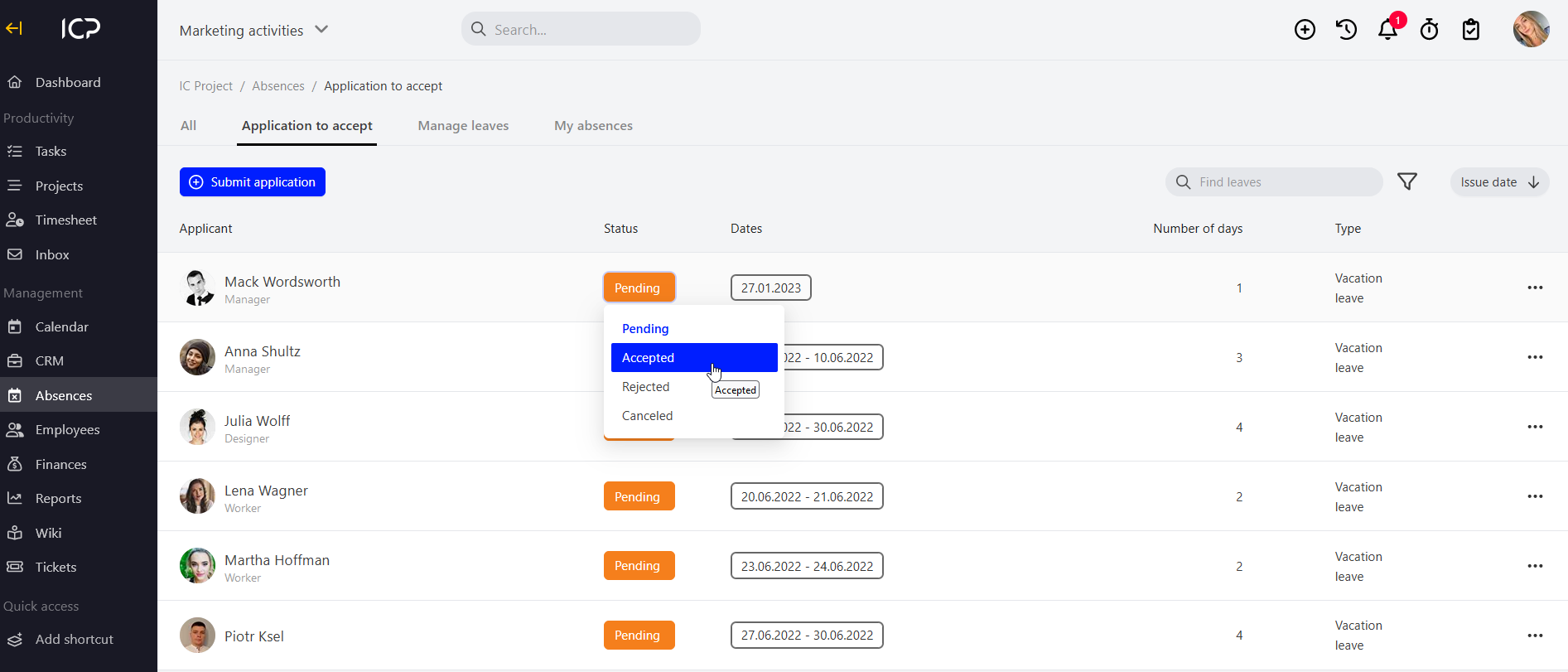
The application with the new status will be moved to the All tab.
Categories:Team & time off