
Team & time off
How to add the employee’s photo?
Go to the Employees tab and click the name of the chosen user, select or
Go to the Employees tab and click the name of the chosen user, select  or

at the chosen employee and click edit. You will see the given user’s profile.
Now, hover your cursor over the avatar of that person and click 

Click the area of the pop-up window or drag the photo to that area.
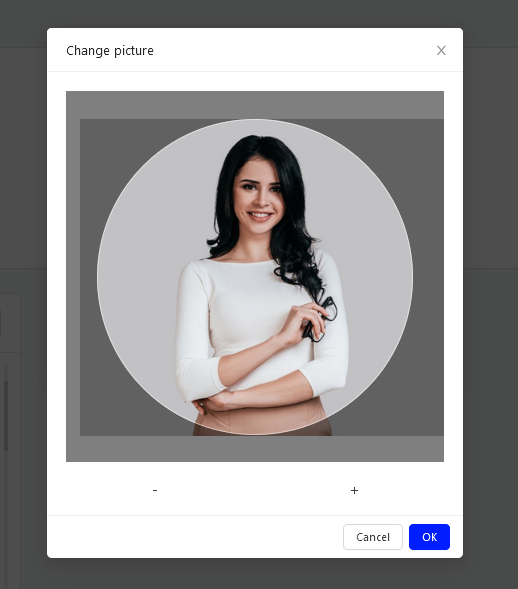
Now, holding the left mouse button on the selected photo, crop it. You can also use the button “+” to zoom in or “-” to zoom out. Then, click  to accept and the
 button. And done! The photo has been added.
Categories:Team & time off